

Steps to Import Files:
1
Access the Import Option
Go to File Server. Under the JSON Files section, click on the Import button.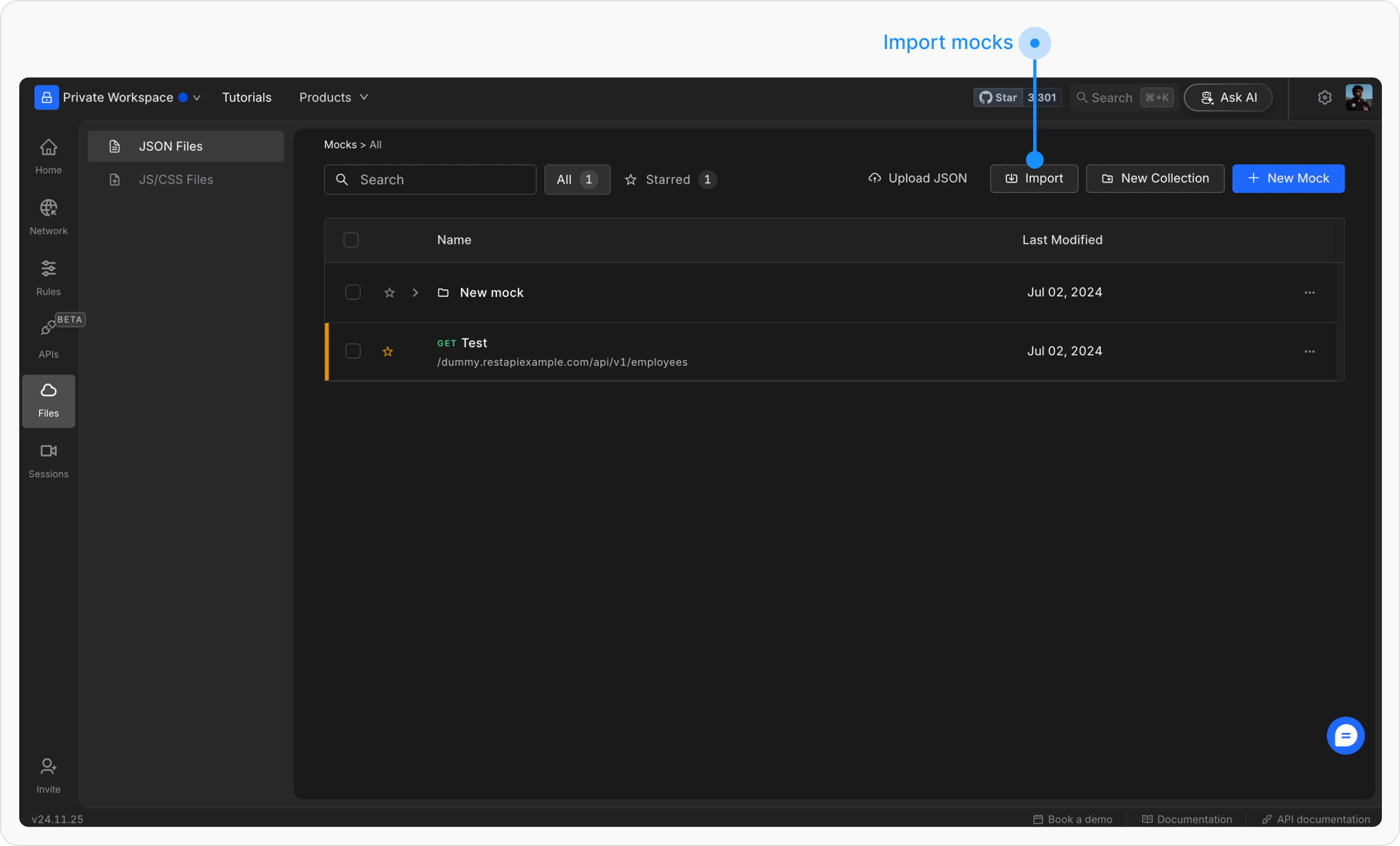
2
Upload the JSON File
Select the JSON file containing the files you want to import. Review the list, then click Import to add them to File Server.
Steps to Export Files
1
Select the Files
Use the checkboxes to select the files you want to export from File Server.
2
Click on export
In the bottom popup, click on export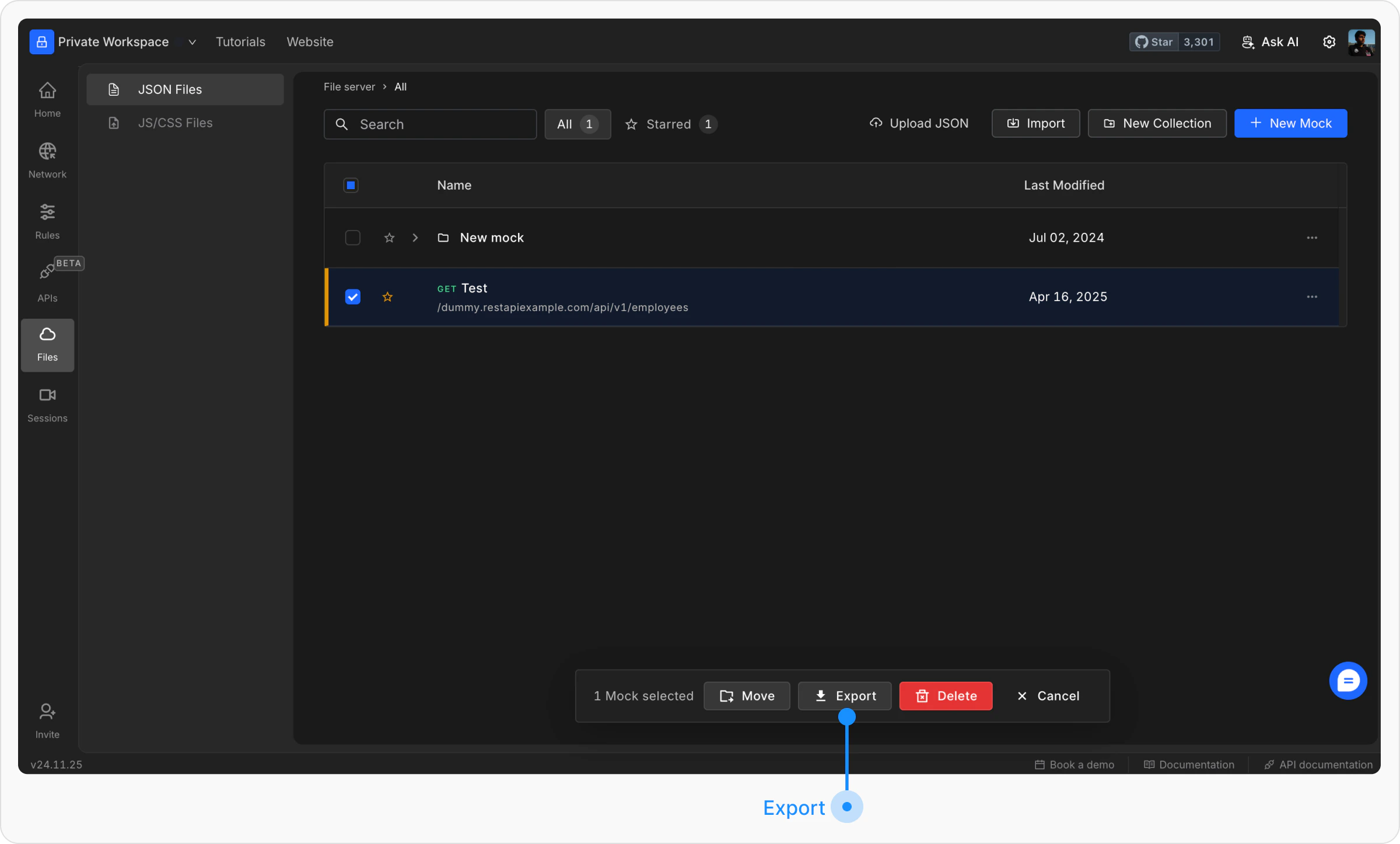
3
Download the JSON File
Requestly Interceptor will prepare your selected files for export. Click Export Files to download the JSON file.