

Steps to Intercept traffic in Browser DevTools
1
Open DevTools
Right-click on the webpage and click Inspect.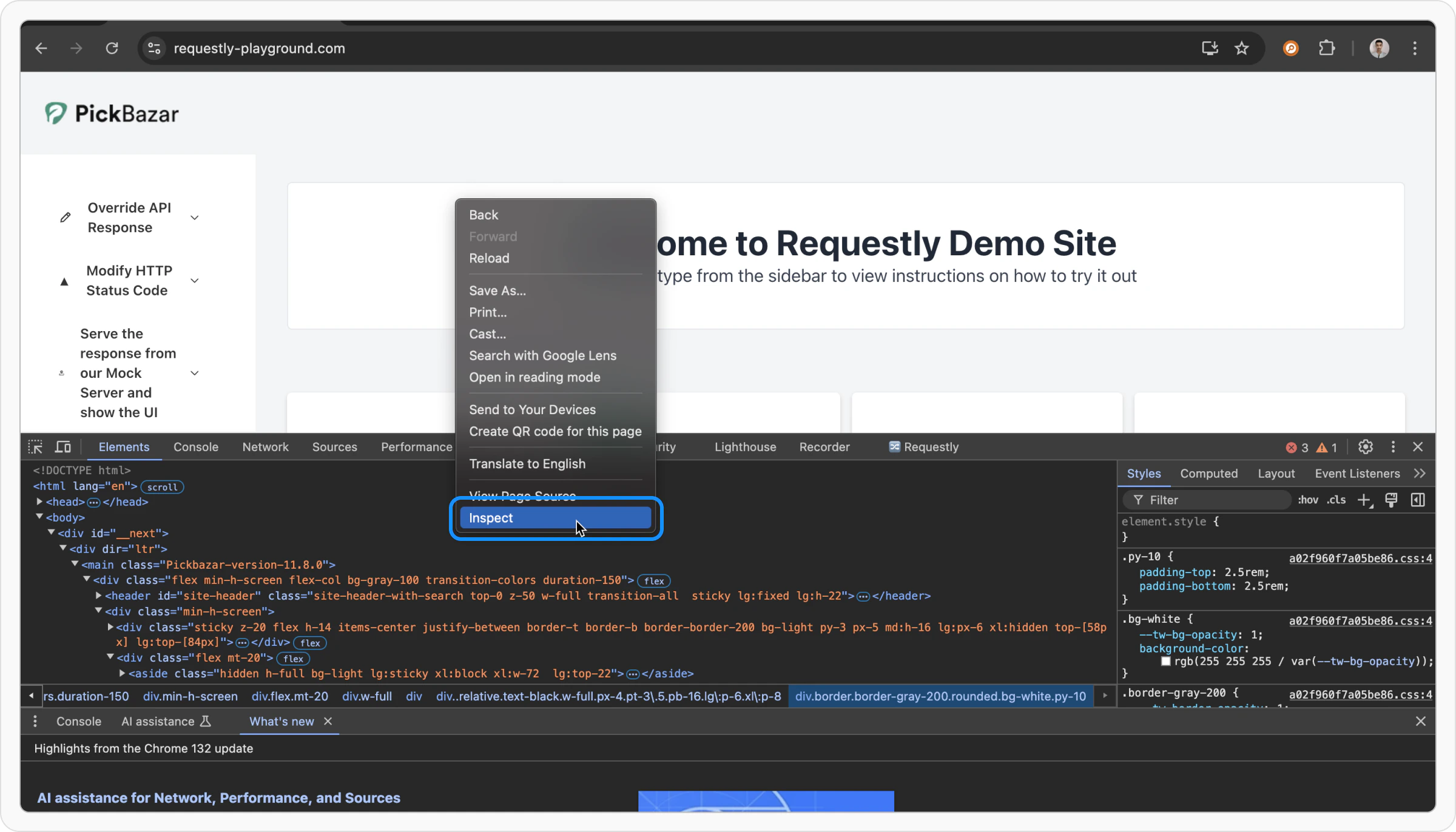
2
Open Requestly Interceptor Panel
Click on the Requestly Interceptor tab.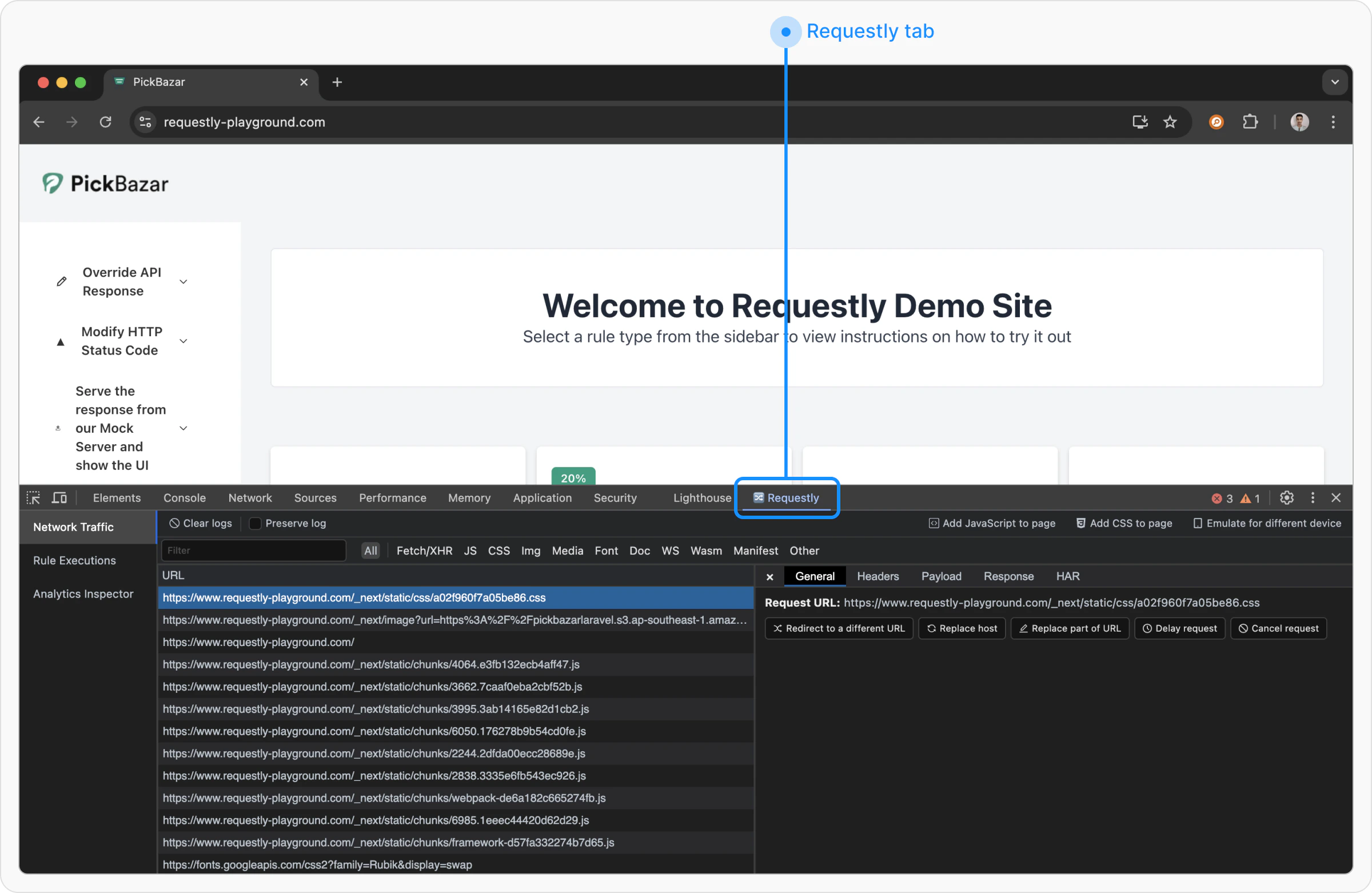
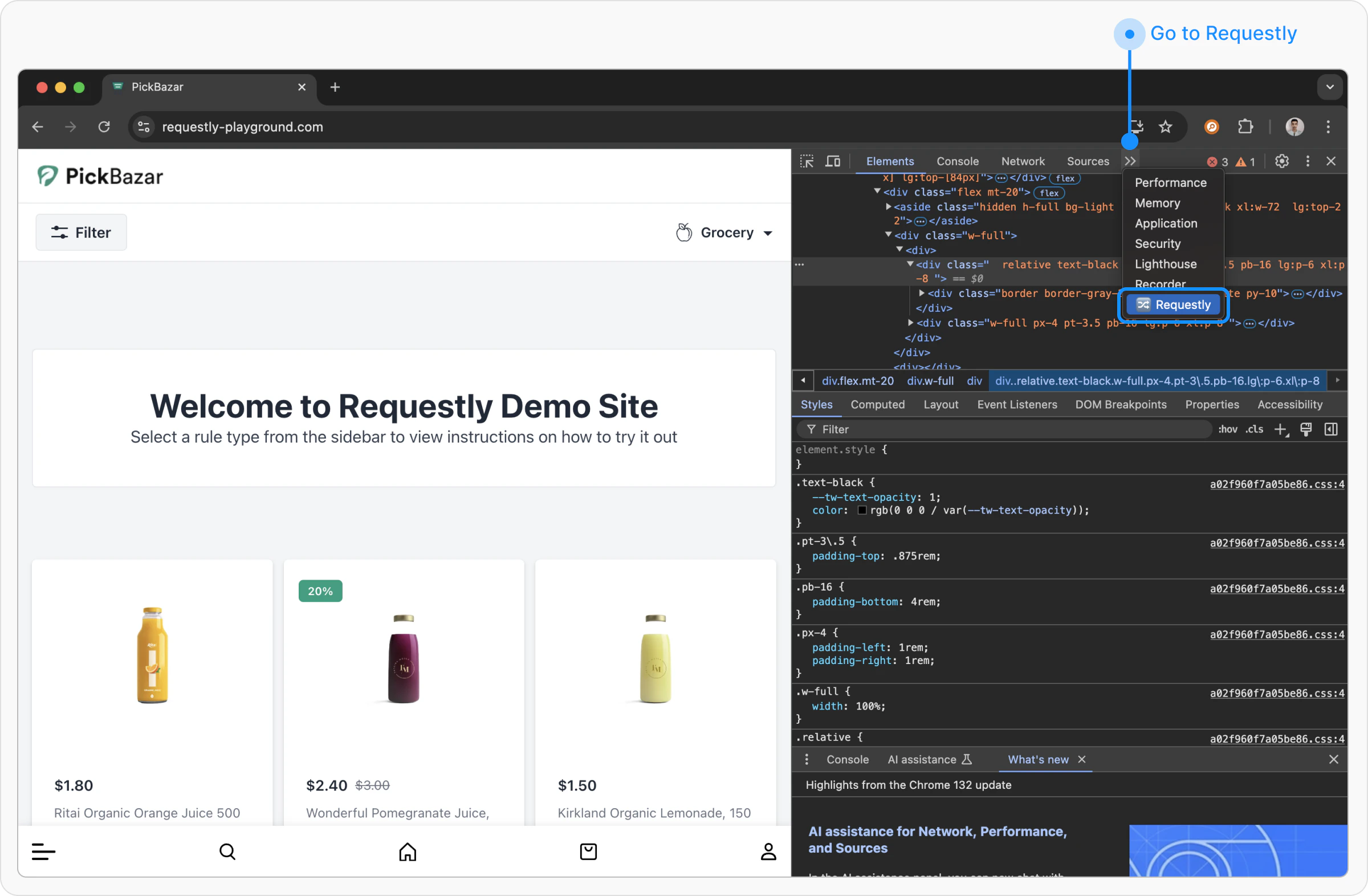
- Network Traffic
- Network Traffic
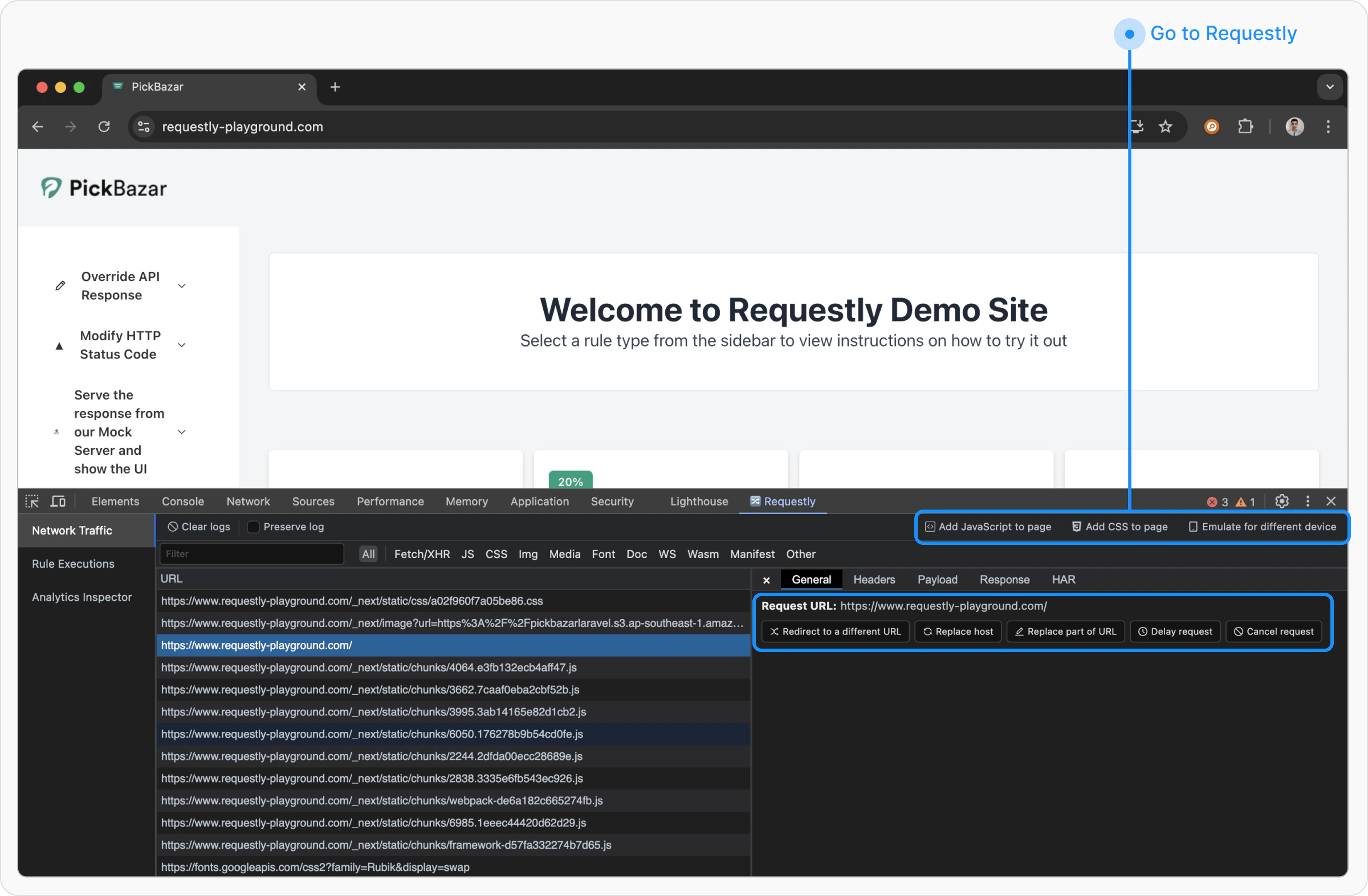
If you want to intercept traffic from another browser extension, please use the Requestly Interceptor Desktop App instead.
- Add JavaScript to Page: Injects custom JavaScript into the webpage.
- Add CSS to Page: Applies custom styles to the page.
- Emulate a Different Device: Simulates how the page renders on different devices.
- Redirect to Another URL
- Replace Host
- Replace Part of URL
- Delay Request
- Cancel Request