> ## Documentation Index
> Fetch the complete documentation index at: https://interceptor-docs.requestly.com/llms.txt
> Use this file to discover all available pages before exploring further.
# How to Check Your Requestly Interceptor Version in the Browser
You can check the version of Requestly Interceptor you are using in three ways:
### **Using the Requestly Interceptor Extension Popup**
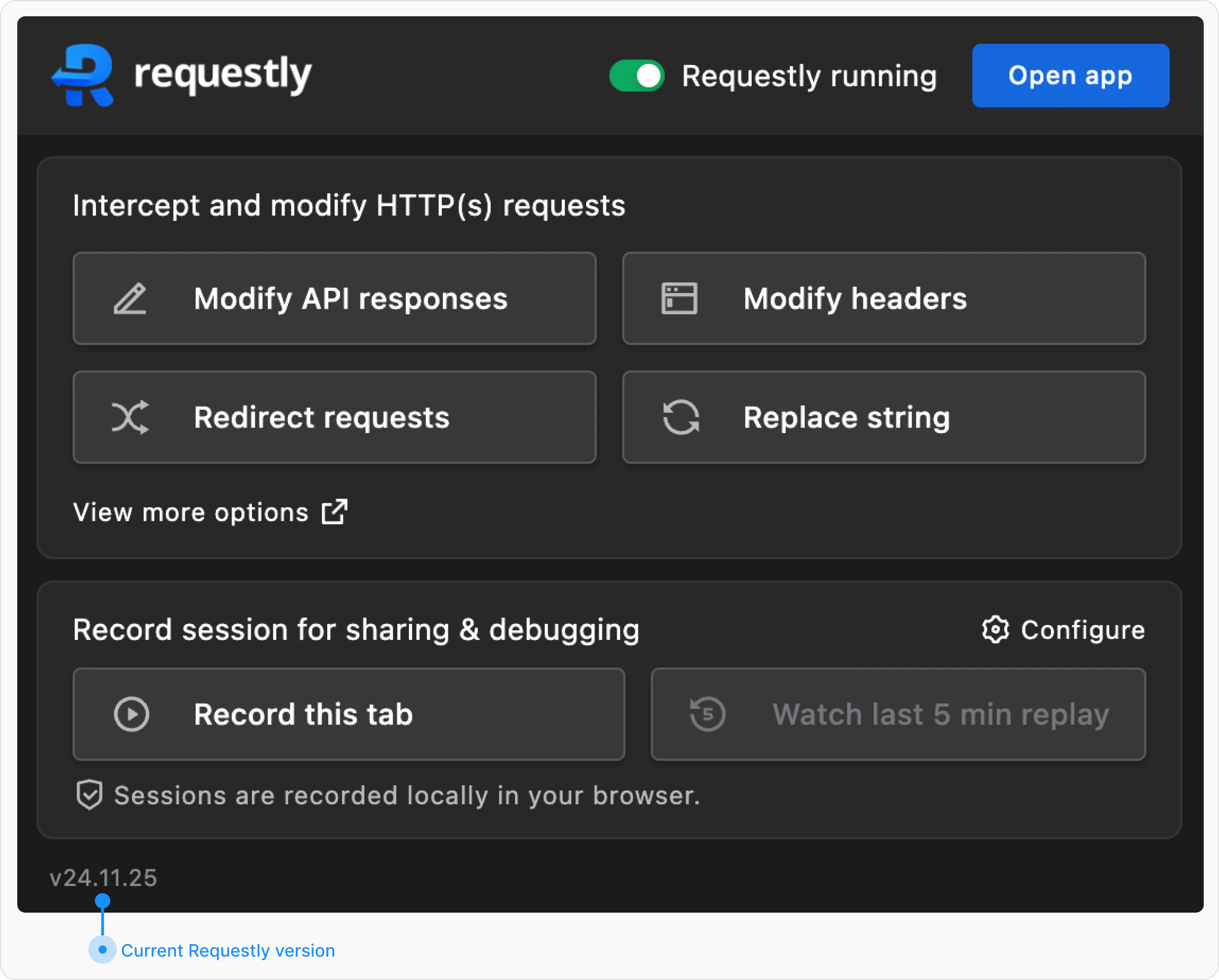
1. Click on the **Requestly Interceptor** extension icon in your browser’s extension list.
2. A popup window will appear.
3. Look at the **bottom-left corner** of the popup to find your current Requestly Interceptor version.
2\. Click on the **Requestly Interceptor** extension icon in your browser’s extension list.
3\. A popup window will appear.
 ### **Checking on the Requestly Interceptor Dashboard**
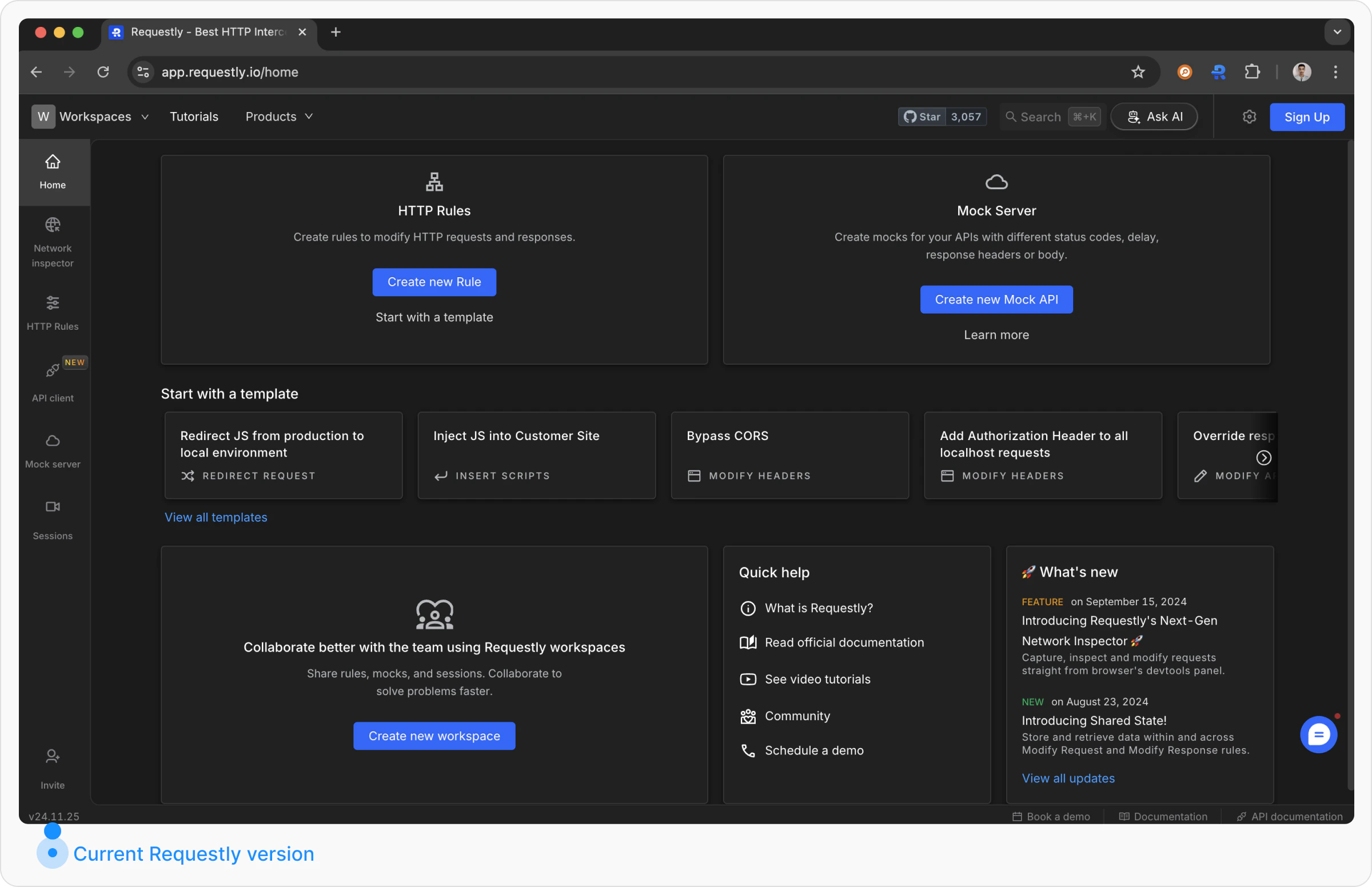
1. Open the **Requestly Interceptor Dashboard** by visiting [app.requestly.io](https://app.requestly.io).
2. Look at the **bottom-left corner** of the dashboard.
3. Your current Requestly Interceptor version will be displayed there.
### **Checking on the Requestly Interceptor Dashboard**
1. Open the **Requestly Interceptor Dashboard** by visiting [app.requestly.io](https://app.requestly.io).
2. Look at the **bottom-left corner** of the dashboard.
3. Your current Requestly Interceptor version will be displayed there.
 ### **Checking via Browser Extension Settings**
You can also find the Requestly Interceptor version through your browser’s extension settings:
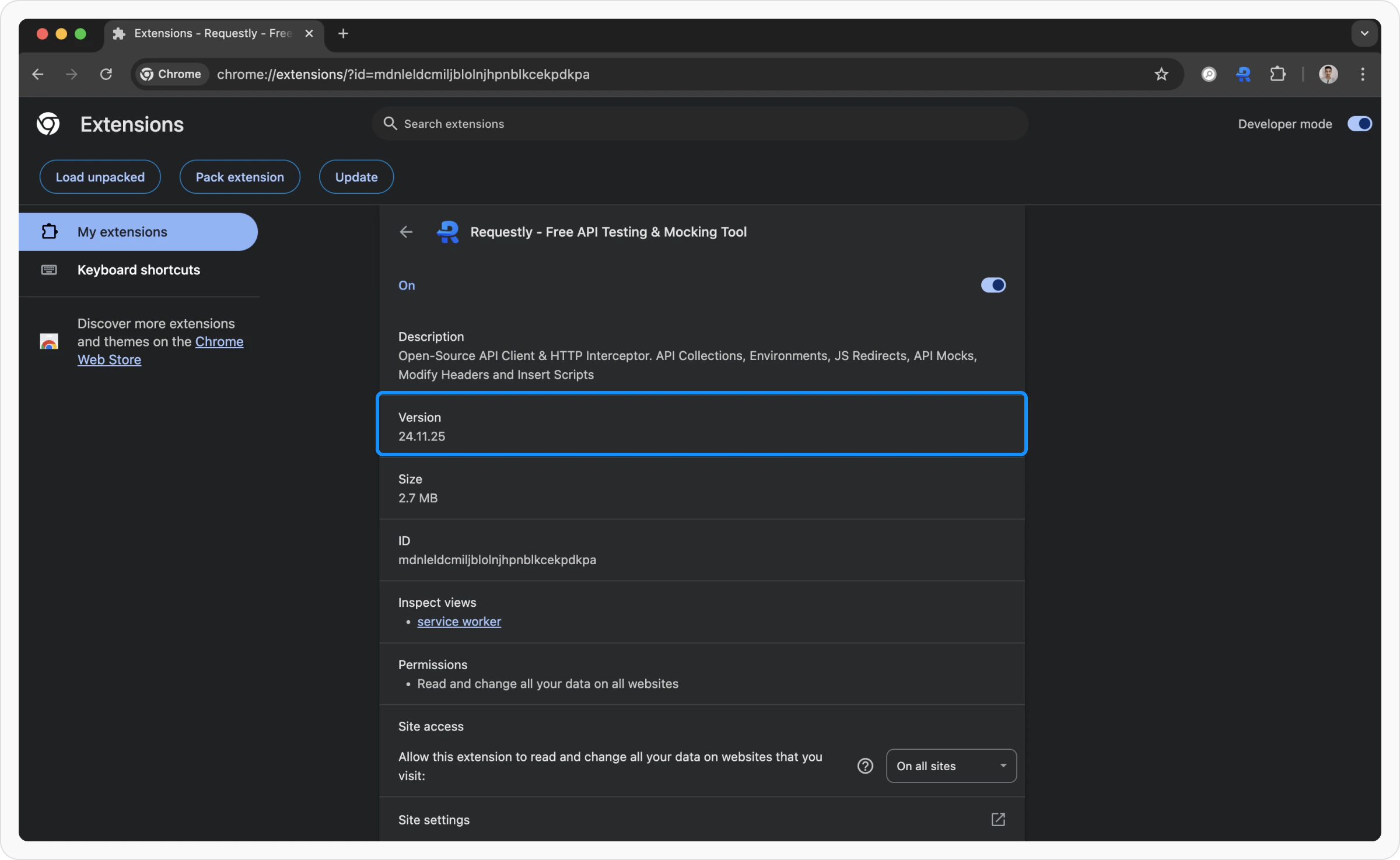
* **Google Chrome:** Go to `chrome://extensions/?id=mdnleldcmiljblolnjhpnblkcekpdkpa`
### **Checking via Browser Extension Settings**
You can also find the Requestly Interceptor version through your browser’s extension settings:
* **Google Chrome:** Go to `chrome://extensions/?id=mdnleldcmiljblolnjhpnblkcekpdkpa`
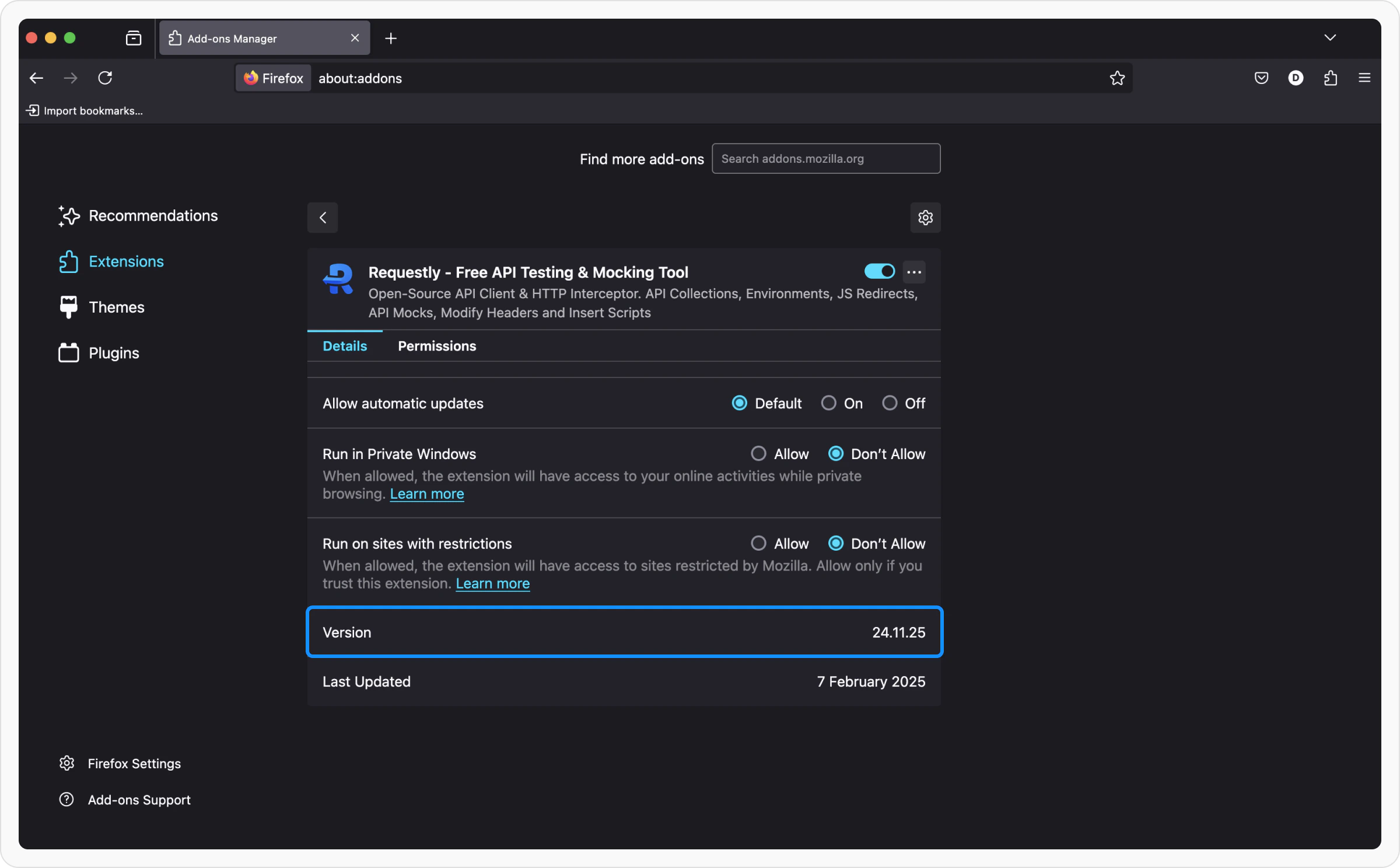
 * **Mozilla Firefox:** Open `about:addons`, find Requestly Interceptor, and check the version.
 * **Microsoft Edge:** Go to `edge://extensions/?id=ehghoapnlpepjmfbgaomdiilchcjemak`
 Following these methods, you can quickly find the Requestly Interceptor version you are using.