> ## Documentation Index
> Fetch the complete documentation index at: https://interceptor-docs.requestly.com/llms.txt
> Use this file to discover all available pages before exploring further.
# Saving Logs to local file
For external scripts to work on top of the intercepted logs you can enable savings logs to a local file.
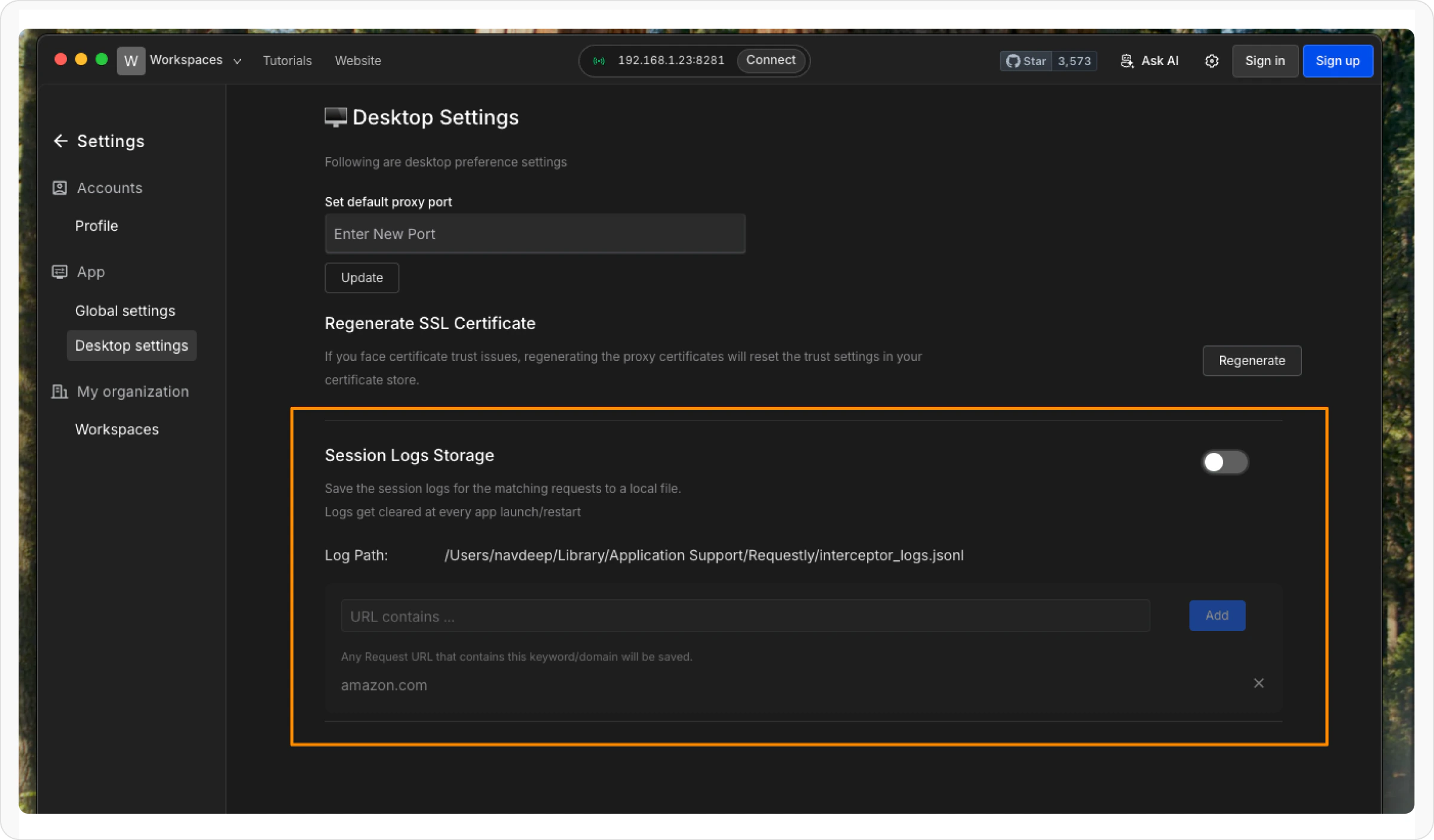
Navigate to settings from the icon on the top right and under `Desktop Settings` there is a section for `Session Log Storage`
 Note: The logs do get cleared whenever app restarts
This is done to avoid the log file from getting unnecessarily large which has shown to cause performance issues
The mentions the path of the file where the log is stored.
This is a `.jsonl` file where each line is an intercepted request stored as a `har` with one entry.
The request is added to the file only if the url matches any of the substrings that you add as matching strings
Note: The logs do get cleared whenever app restarts
This is done to avoid the log file from getting unnecessarily large which has shown to cause performance issues
The mentions the path of the file where the log is stored.
This is a `.jsonl` file where each line is an intercepted request stored as a `har` with one entry.
The request is added to the file only if the url matches any of the substrings that you add as matching strings