> ## Documentation Index
> Fetch the complete documentation index at: https://interceptor-docs.requestly.com/llms.txt
> Use this file to discover all available pages before exploring further.
# Download Rules
> Learn how to download HTTP rules for sharing as files.
***
Downloading HTTP rules allows you to save them locally for offline use or share them as files with others. This feature provides flexibility for scenarios where direct sharing through workspaces or Shared Lists is not possible.
## Why Use the Download Option?
* **Internal Documentation:** Maintain a local copy for internal documentation or historical reference.
* **Reusable Templates:** Use the downloaded rules as templates for creating similar configurations in other environments or projects.
* **Automation:** Automate workflows by integrating the downloaded file using Requestly Interceptor's public API.
* **Backup Storage:** Safeguard your rules by keeping a backup that can be re-imported when needed.
* **Flexible Sharing:** Share the file with external collaborators who may not have direct access to your workspace or Shared Lists.
## Steps to Download Rules
Go to HTTP Rules, and open "My Rules" from the left sidebar. Select the rules you wish to download by checking the boxes next to the rules.
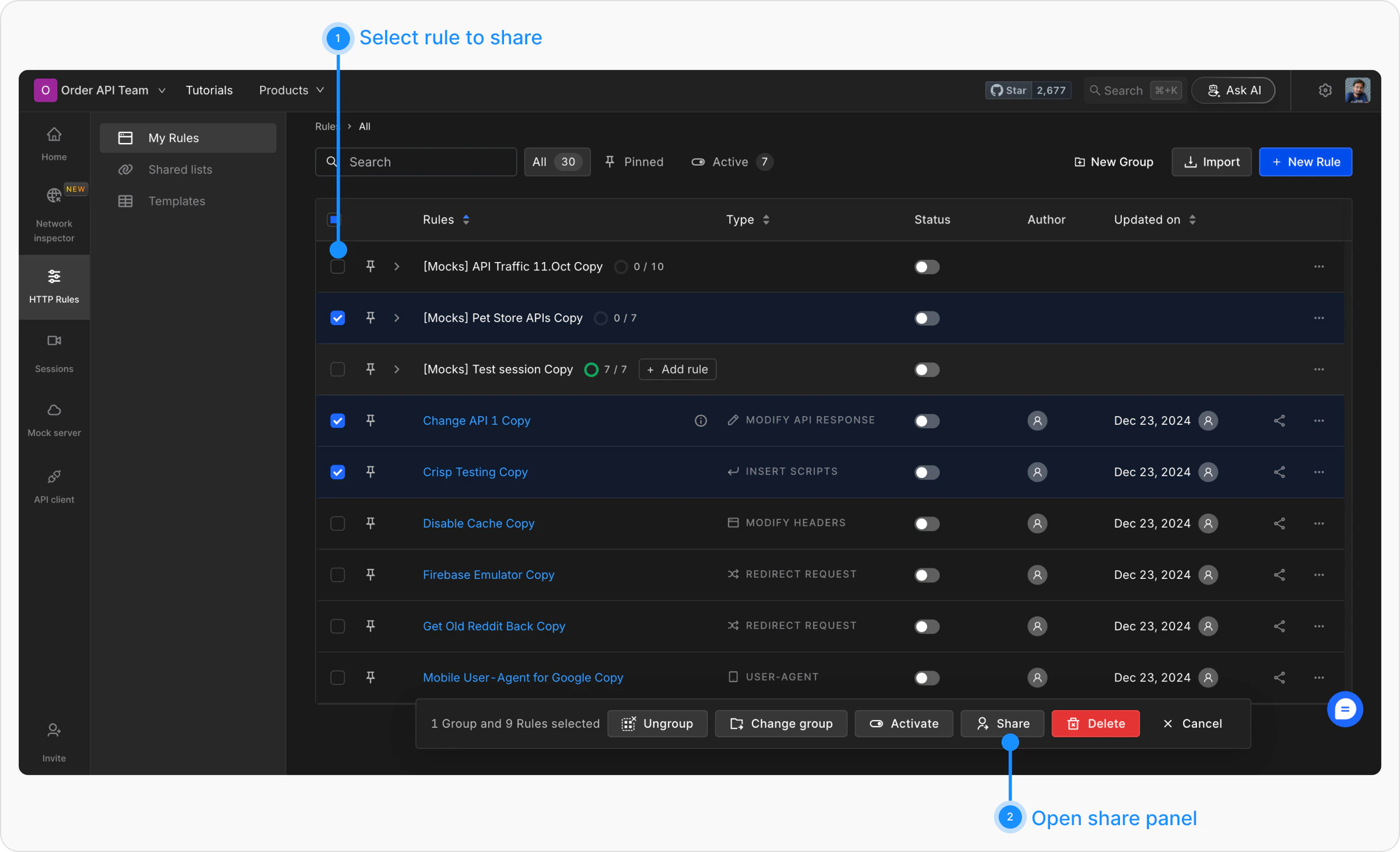 Click on the "Share" button located in the toolbar appear after selecting rules. This action will open the Share modal. Switch to the Download tab.
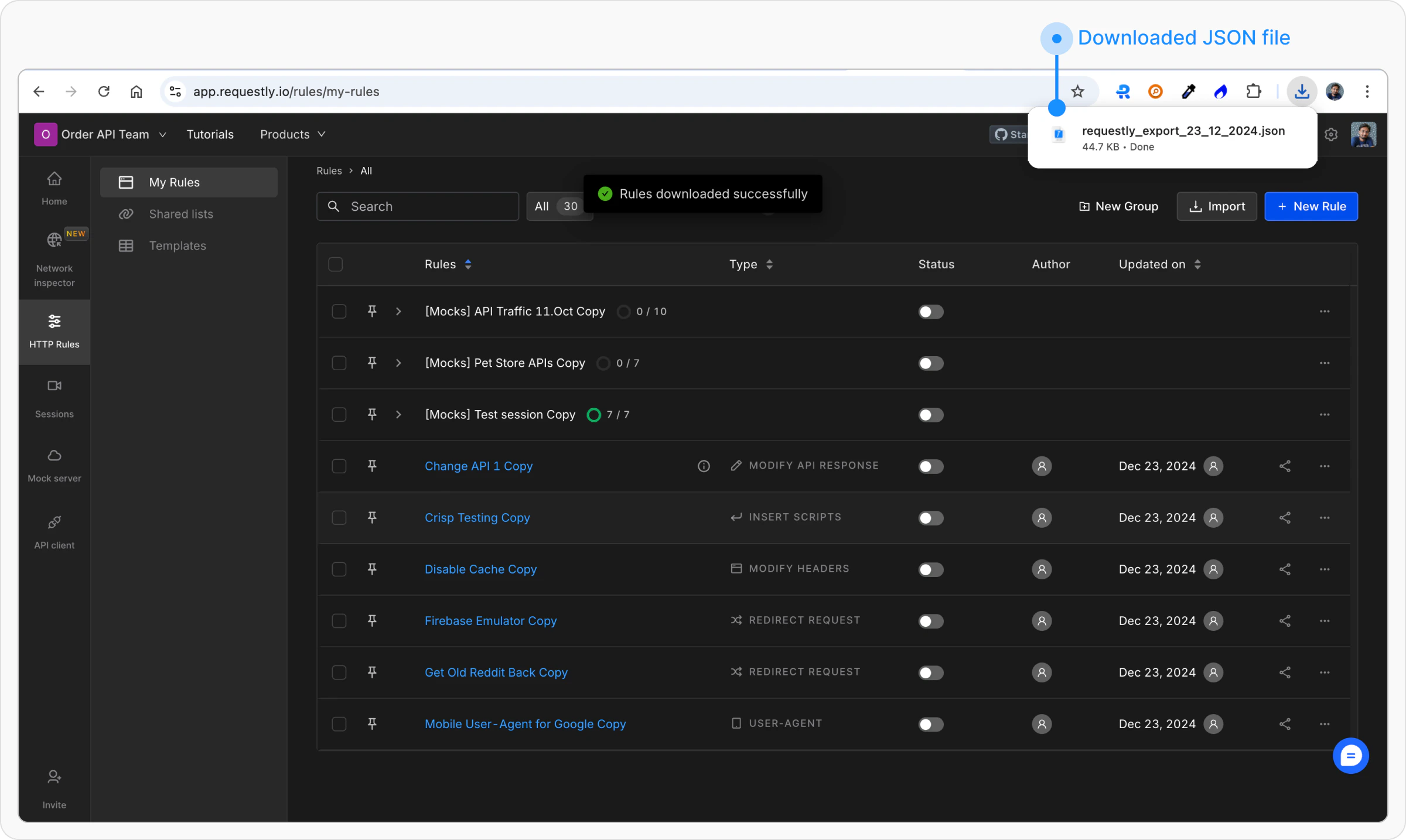
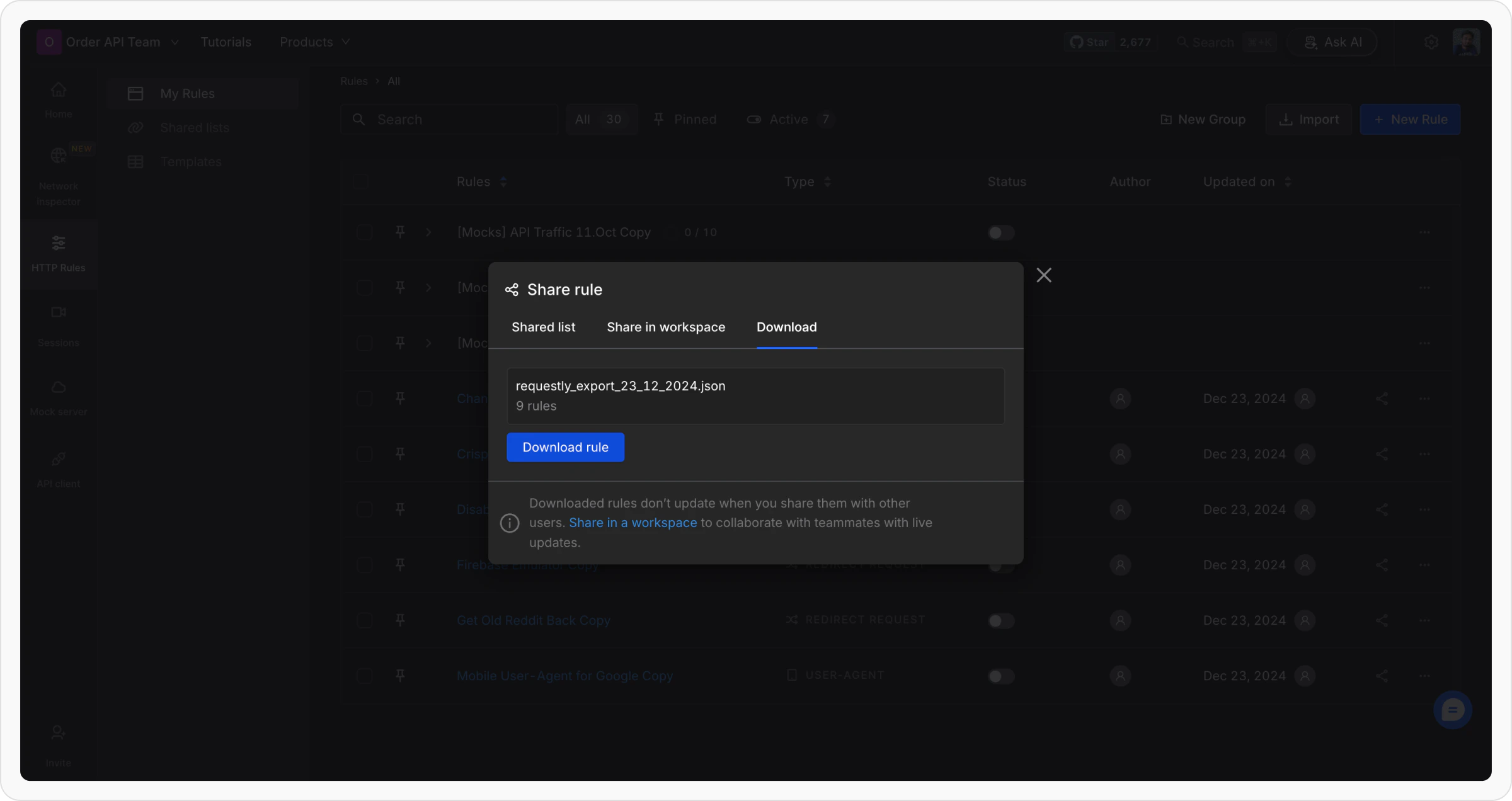 Click on the “Download rule” button to download a JSON file having all the selected rules.
 ## Steps to Import Rules
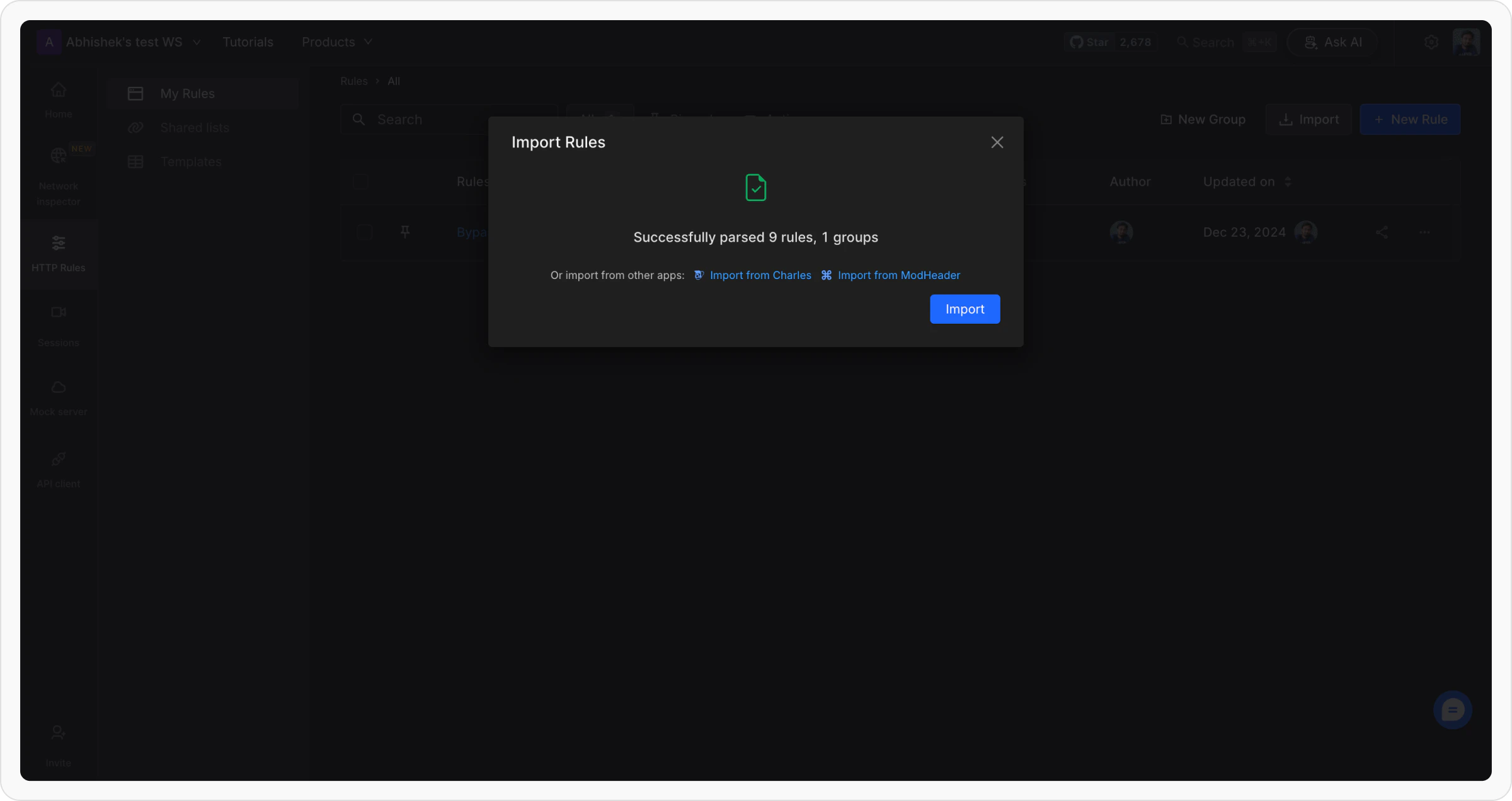
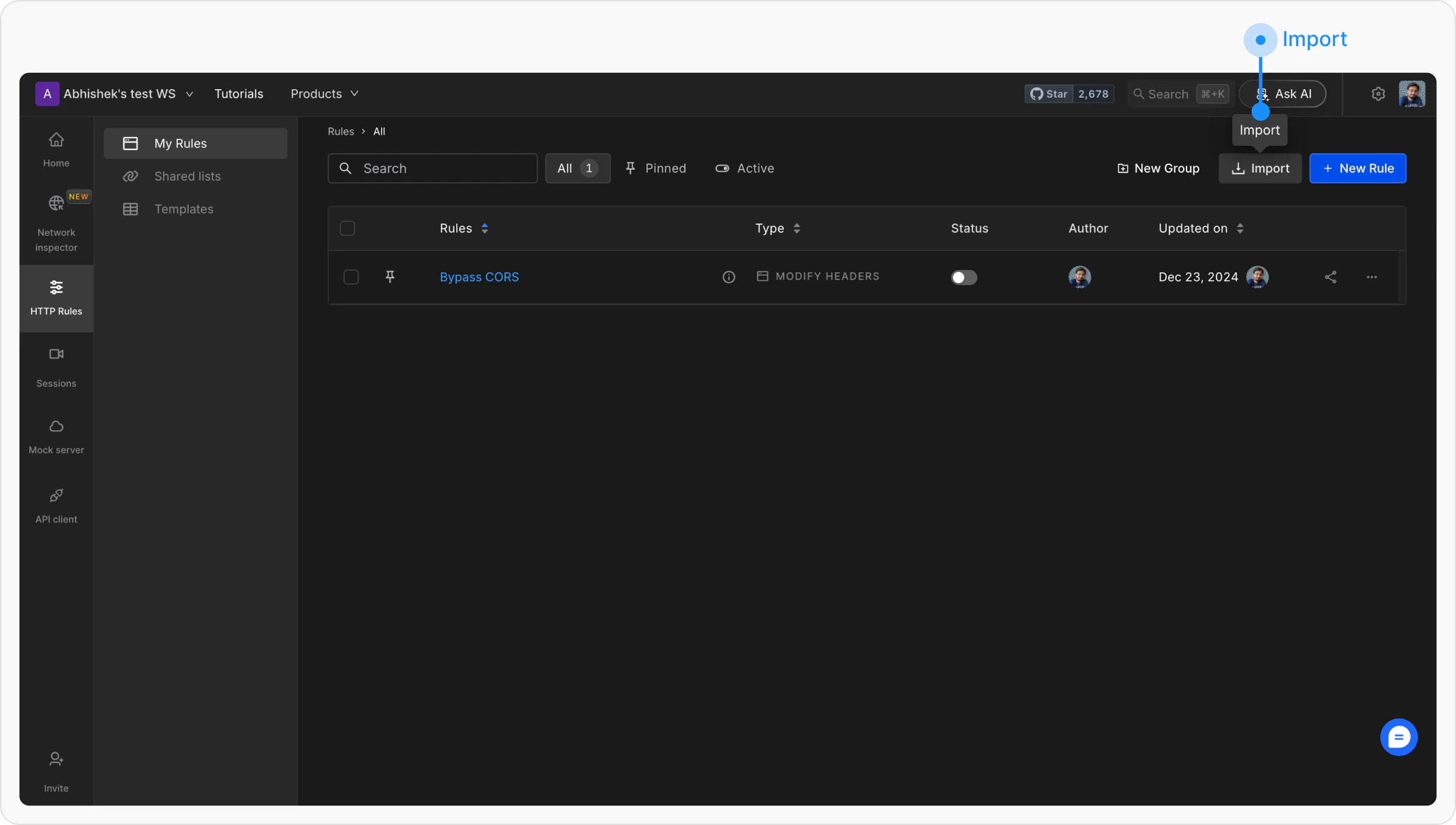
Go to HTTP Rules, open "My Rules" from the left sidebar, and click on the "Import" button in the toolbar.
## Steps to Import Rules
Go to HTTP Rules, open "My Rules" from the left sidebar, and click on the "Import" button in the toolbar.
 Select the downloaded file from your device and upload it using the import dialog.
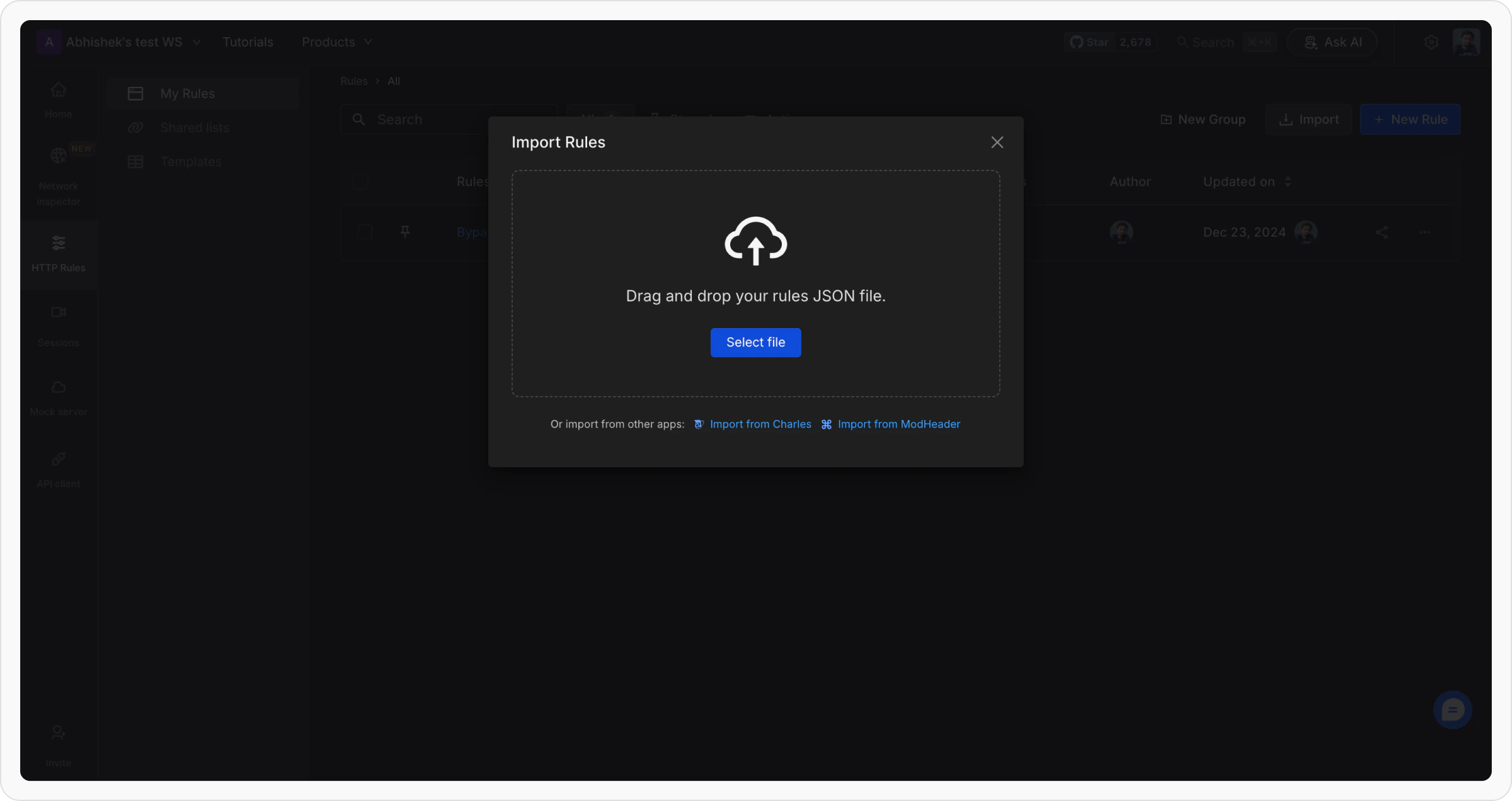 Review the rules in the preview section and click "Import" to add them to your workspace.