> ## Documentation Index
> Fetch the complete documentation index at: https://interceptor-docs.requestly.com/llms.txt
> Use this file to discover all available pages before exploring further.
# Modify User Agents
> Learn how to modify User-Agent strings in HTTP headers with Requestly Interceptor. Test websites on different devices or browsers, debug compatibility issues and refine content delivery.
***
Servers commonly use the **User-Agent** Request Header to identify their client's application type, operating system, software vendor, or software version. Based on the User-Agent string, the server selects suitable content to send in response. For instance, when a website opens on a mobile device, it usually looks quite compact and different from the way it opens on a desktop.
By modifying the User-Agent string, you can control how a website interprets the client accessing it. This capability is especially useful for testing and debugging applications to observe how they respond to different devices and browsers.
## Benefits of Modifying User Agents
* **Device-Specific Testing**: View and test mobile, tablet, or desktop versions of a website.
* **Browser Compatibility Checks**: Analyse how your application behaves in different browsers.
* **Debugging**: Verify if content adapts correctly based on User-Agent information.
## How to Modify User Agents in Requestly Interceptor
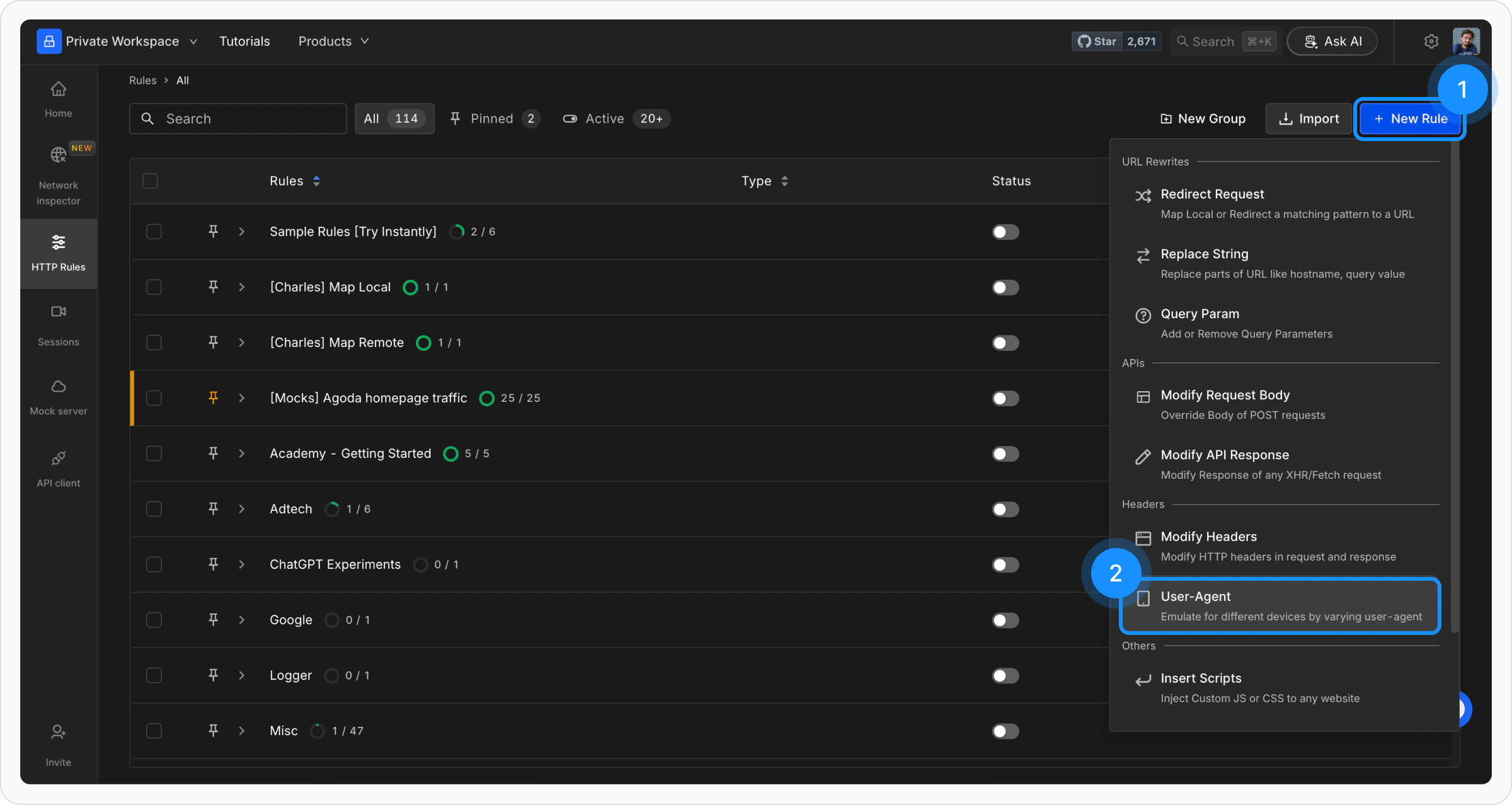
Navigate to the HTTP Rules section in the Requestly Interceptor app. Click on the `+ New Rule` button and select `User-Agent` from the available options.
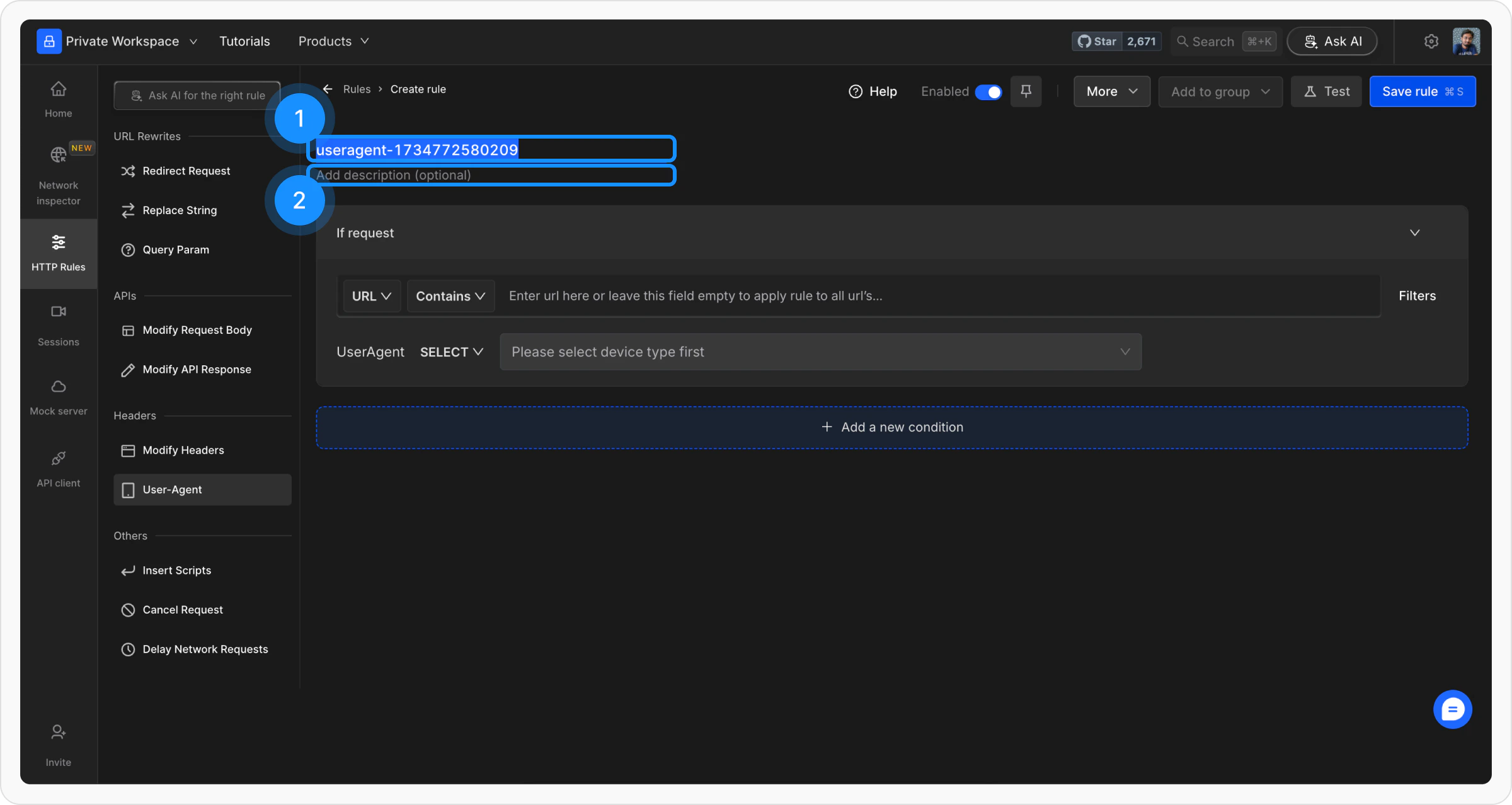
 Provide a **meaningful name** for the rule to keep your setup organized. Optionally, add a brief **description** to explain its purpose for easier identification later.
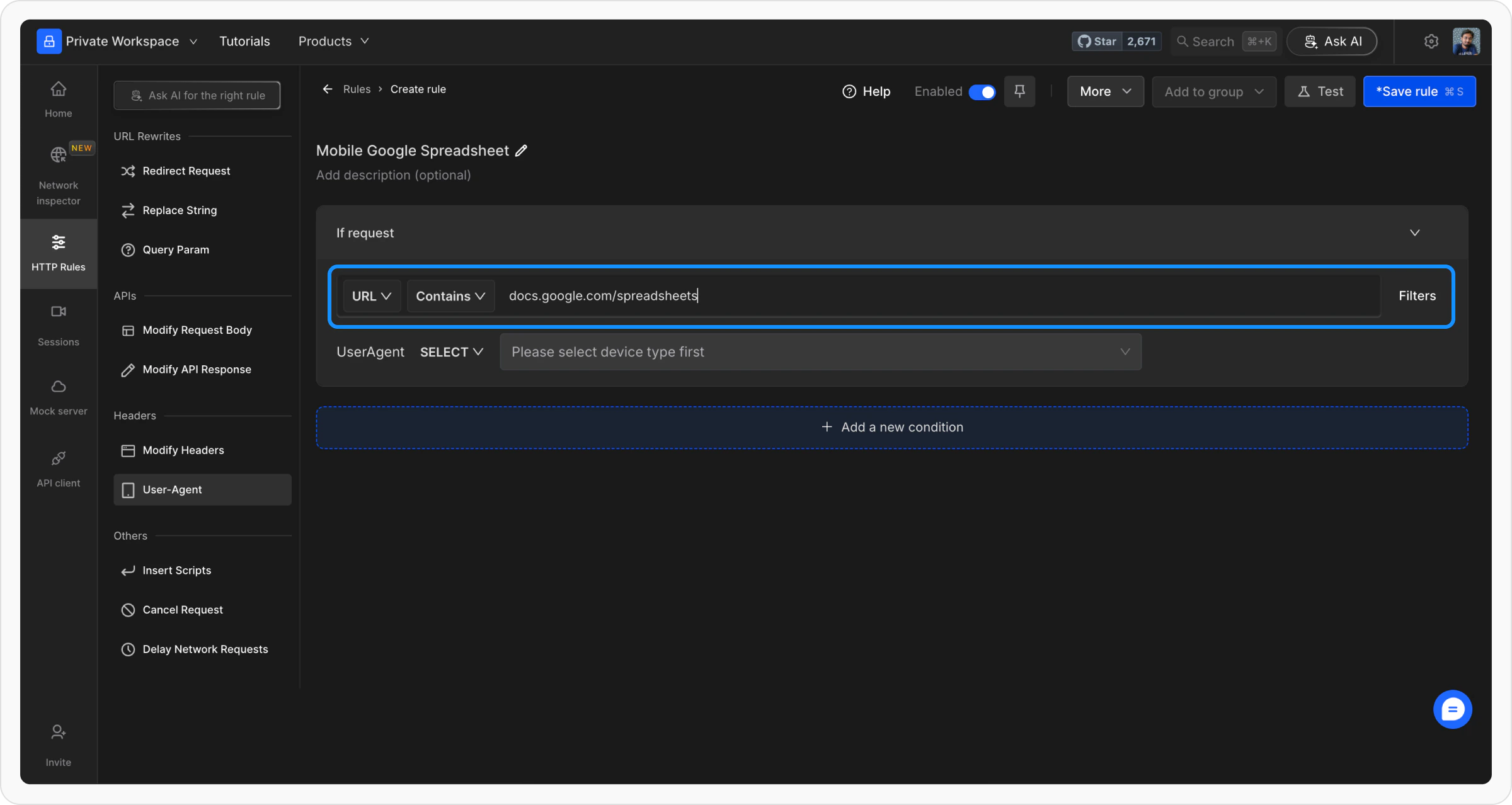
 Define where the rule should be applied by specifying criteria such as **URL**, **Host**, or **Path**. You can choose from options like **Regex**, **Contains**, **Wildcard**, or **Equals**, or use **Advance Filters** for more precise conditions.
For more details on source conditions, [**read this guide**.](/http-rules/advanced-usage/advance-targeting)
Define where the rule should be applied by specifying criteria such as **URL**, **Host**, or **Path**. You can choose from options like **Regex**, **Contains**, **Wildcard**, or **Equals**, or use **Advance Filters** for more precise conditions.
For more details on source conditions, [**read this guide**.](/http-rules/advanced-usage/advance-targeting)
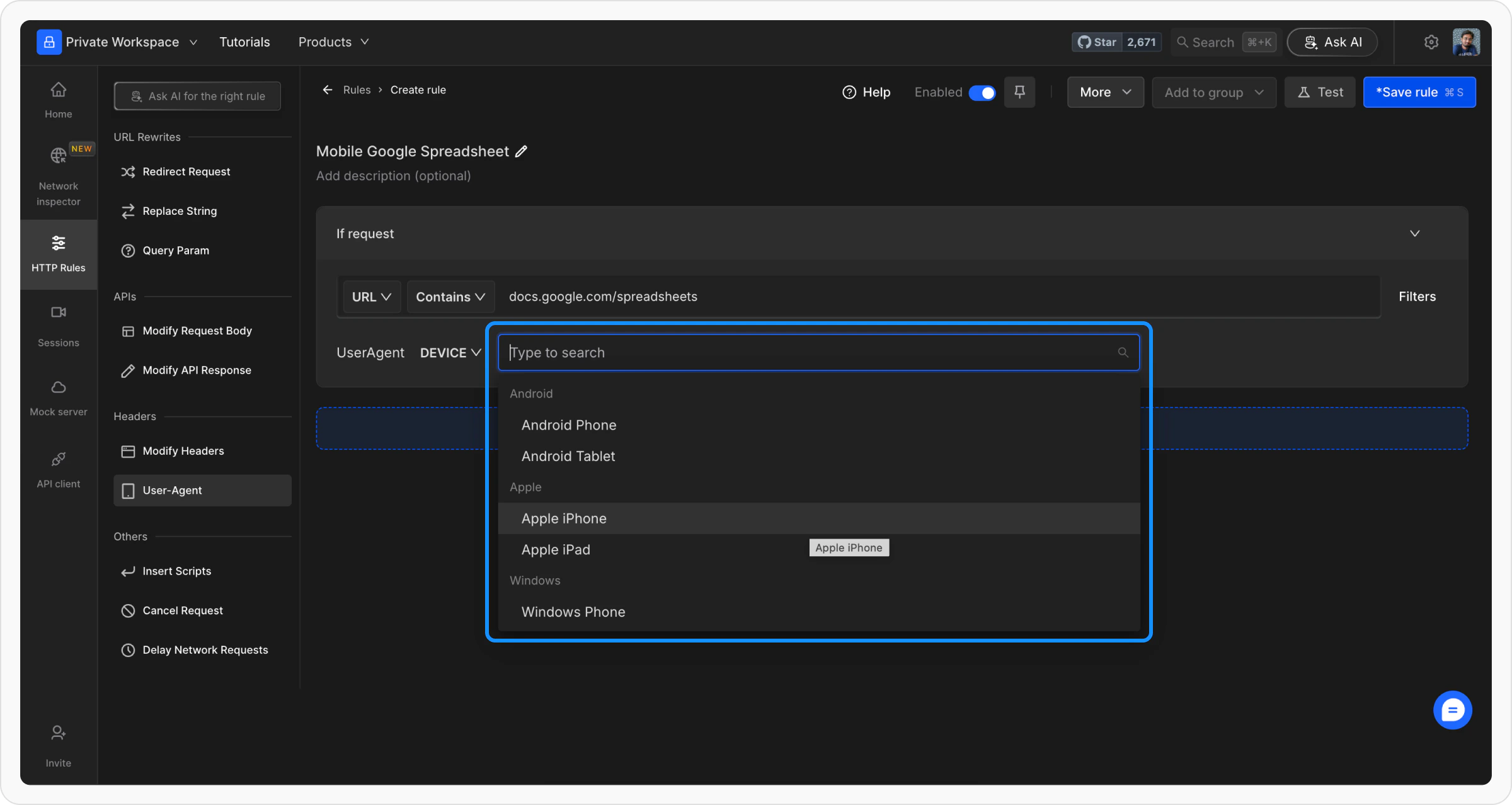
 Choose whether you want to emulate a specific device or browser. Requestly Interceptor provides preset options such as Android Phones, iPhones, or popular web browsers like Internet Explorer or Safari.
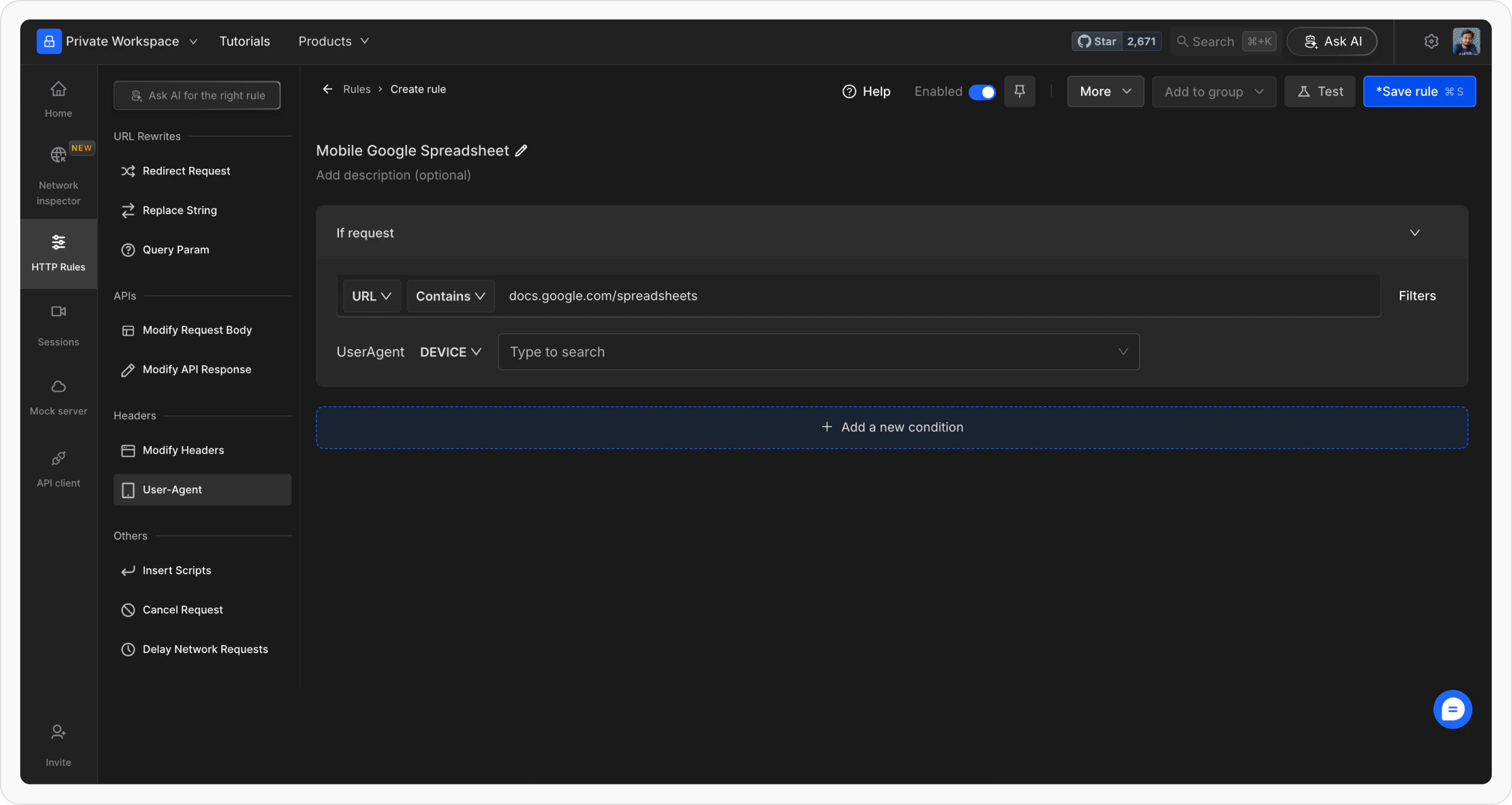 Select the exact version or model you wish to emulate. You can either choose from the predefined options or define a custom User-Agent string to meet your testing needs.
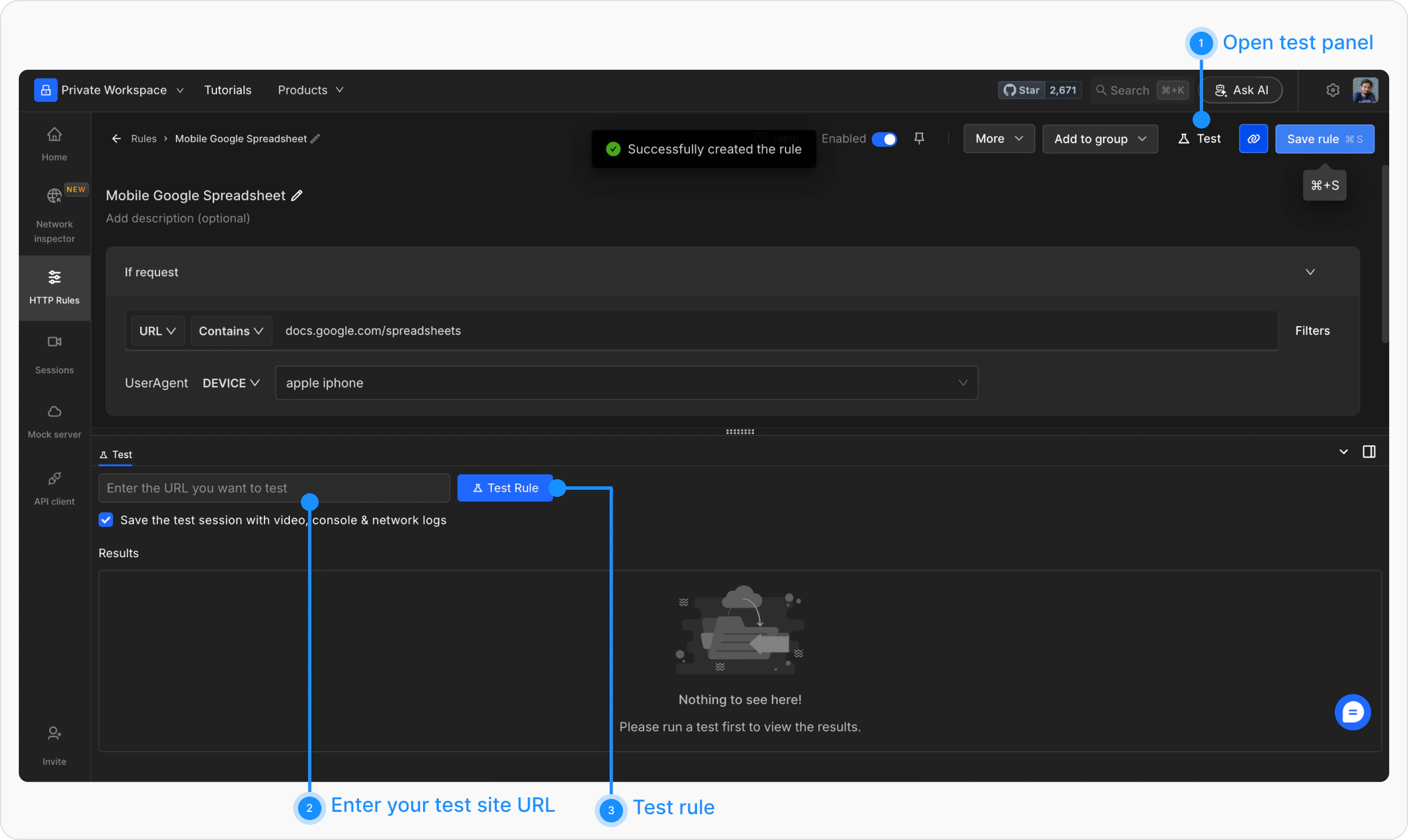
 Once all conditions are set, click Save to store the rule. Toggle the rule ON to activate it. You can now test your setup by visiting the targeted websites.
 ## Examples of User-Agent Strings
* **Android Device**: `Mozilla/5.0 (Linux; Android 10; SM-G960F) AppleWebKit/537.36 (KHTML, like Gecko) Chrome/89.0.4389.90 Mobile Safari/537.36`
* **iPhone**: `Mozilla/5.0 (iPhone; CPU iPhone OS 14_6 like Mac OS X) AppleWebKit/605.1.15 (KHTML, like Gecko) Version/14.1 Mobile/15E148 Safari/604.1`
* **Desktop Chrome**: `Mozilla/5.0 (Windows NT 10.0; Win64; x64) AppleWebKit/537.36 (KHTML, like Gecko) Chrome/89.0.4389.82 Safari/537.36`
## Test Your Rule
There are multiple ways to validate if a rule is applied or not, learn more about how to `validate rule execution`**.**
Use the Test feature in Requestly Interceptor to confirm the rule's behavior. Input the URL of a website and monitor how the content adapts to the new User-Agent string. This ensures that the desired changes are applied successfully.
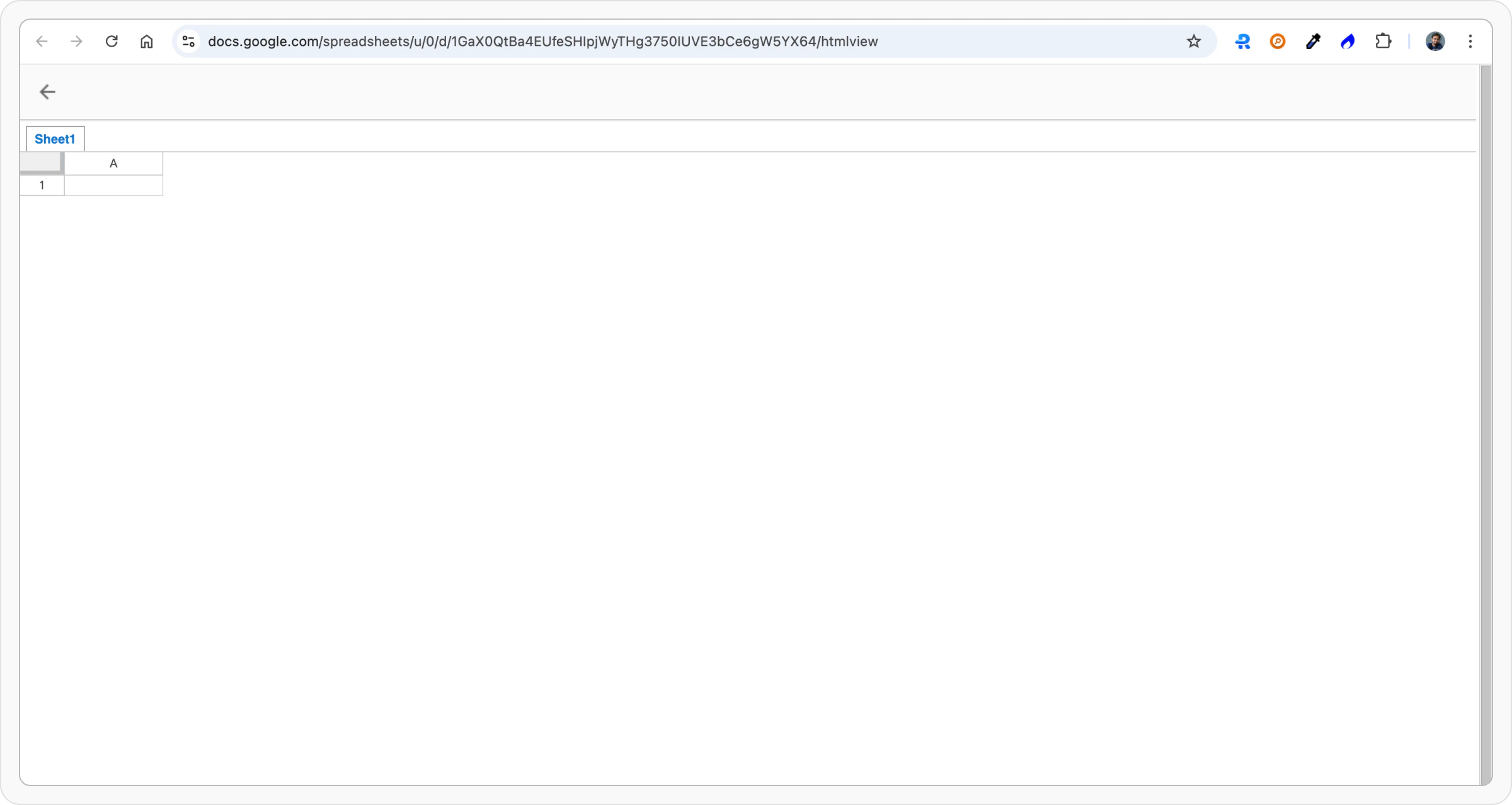
The mobile version of the spreadsheet is loaded on the desktop.
## Examples of User-Agent Strings
* **Android Device**: `Mozilla/5.0 (Linux; Android 10; SM-G960F) AppleWebKit/537.36 (KHTML, like Gecko) Chrome/89.0.4389.90 Mobile Safari/537.36`
* **iPhone**: `Mozilla/5.0 (iPhone; CPU iPhone OS 14_6 like Mac OS X) AppleWebKit/605.1.15 (KHTML, like Gecko) Version/14.1 Mobile/15E148 Safari/604.1`
* **Desktop Chrome**: `Mozilla/5.0 (Windows NT 10.0; Win64; x64) AppleWebKit/537.36 (KHTML, like Gecko) Chrome/89.0.4389.82 Safari/537.36`
## Test Your Rule
There are multiple ways to validate if a rule is applied or not, learn more about how to `validate rule execution`**.**
Use the Test feature in Requestly Interceptor to confirm the rule's behavior. Input the URL of a website and monitor how the content adapts to the new User-Agent string. This ensures that the desired changes are applied successfully.
The mobile version of the spreadsheet is loaded on the desktop.