> ## Documentation Index
> Fetch the complete documentation index at: https://interceptor-docs.requestly.com/llms.txt
> Use this file to discover all available pages before exploring further.
# Create Cloud-based Mocks
> Learn how to create modify and manage mock files in requestly
Cloud-based mocks let you simulate API responses by hosting mock data online instead of running a local server. With Requestly Interceptor’s File Server, you can upload mock files like JSON or HTML and redirect real API requests to these files. It’s a fast, shareable, and reliable way to mock backend APIs for frontend development and testing in isolation.
## How to Create a Cloud-based Mock
To create a cloud mock, you’ll first create a file in File Server and then set up a Redirect Rule to serve it in place of a real API.
### Step 1: Create a File in Requestly Interceptor File Server
From the Requestly Interceptor Dashboard, go to the **Files** tab in the sidebar.
Choose **New File** to create one from scratch, or upload an existing JSON file.
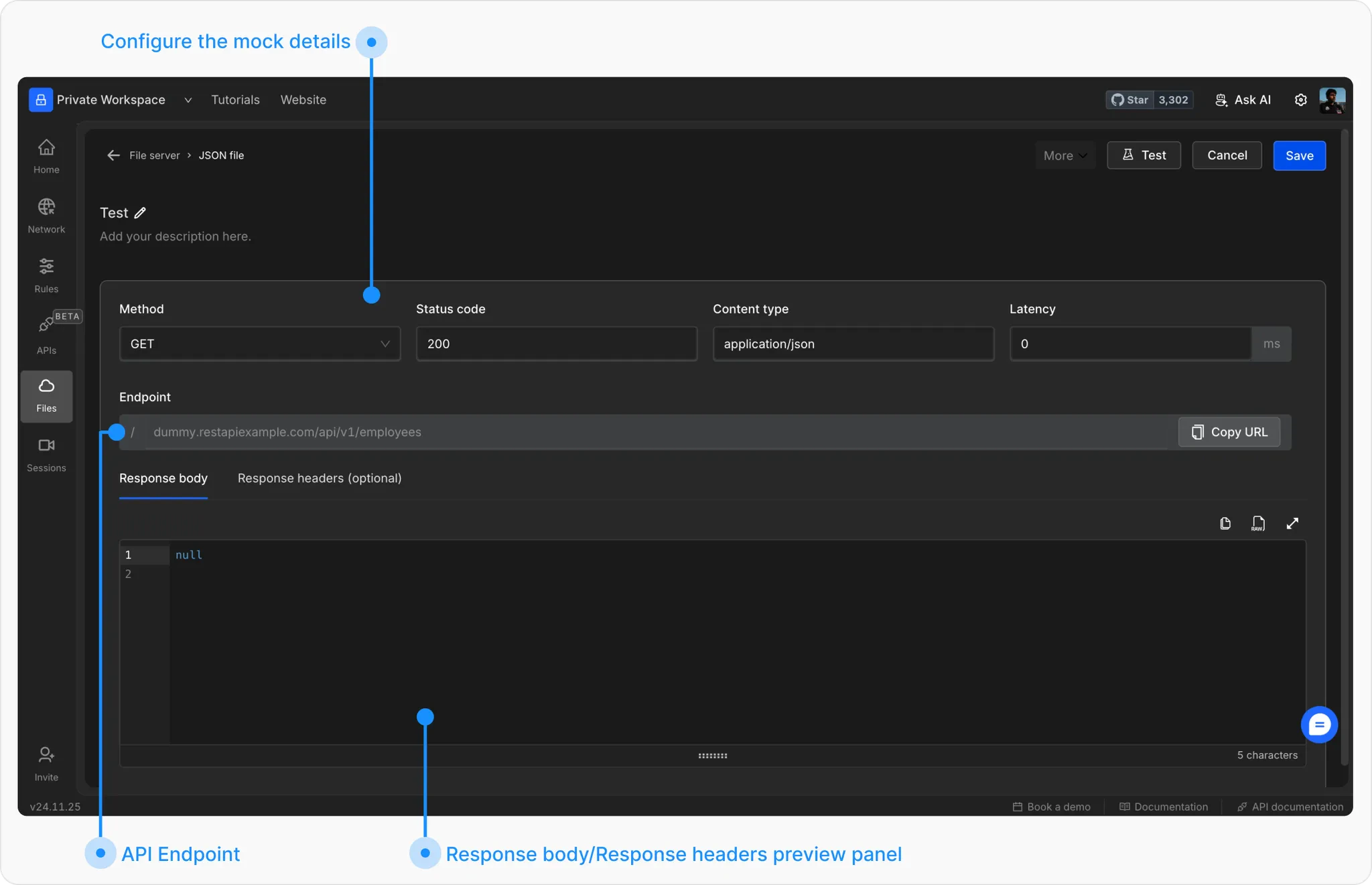
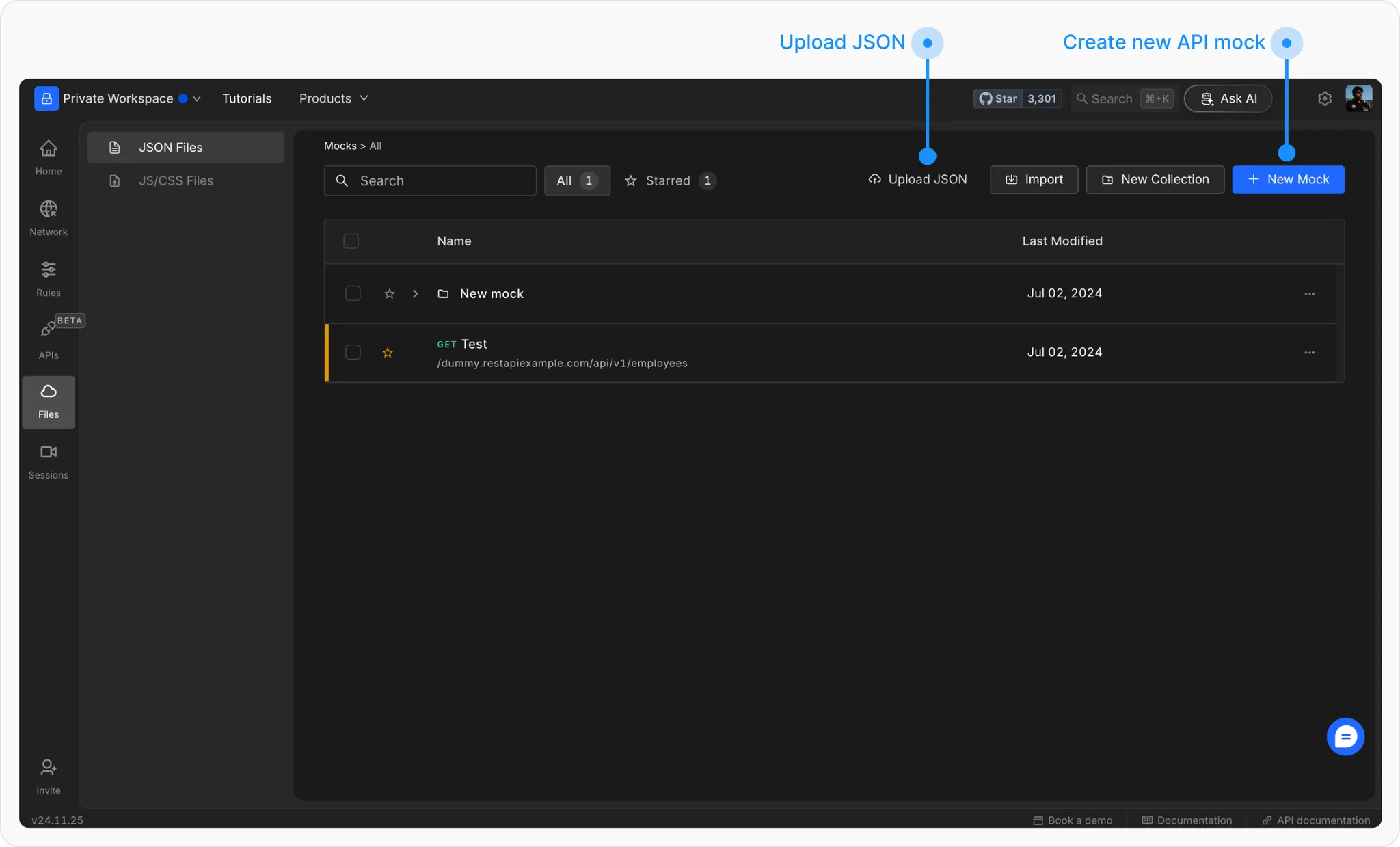 Give it a descriptive name and fill in the following options:
* **Method**: HTTP method to match (GET, POST, etc.)
* **Status**: Response code (e.g. 200 OK)
* **Content Type**: e.g. `application/json`
* **Latency** *(optional)*: Simulate response delay
* **Endpoint**: Define a unique URL path
* **Response Body**: Add your mock JSON/text
* **Headers** *(optional)*: Add custom response headers
* **Password Protection** *(optional)*: Secure with a query param password
Give it a descriptive name and fill in the following options:
* **Method**: HTTP method to match (GET, POST, etc.)
* **Status**: Response code (e.g. 200 OK)
* **Content Type**: e.g. `application/json`
* **Latency** *(optional)*: Simulate response delay
* **Endpoint**: Define a unique URL path
* **Response Body**: Add your mock JSON/text
* **Headers** *(optional)*: Add custom response headers
* **Password Protection** *(optional)*: Secure with a query param password
 ### Step 2: Redirect API Requests to File Server
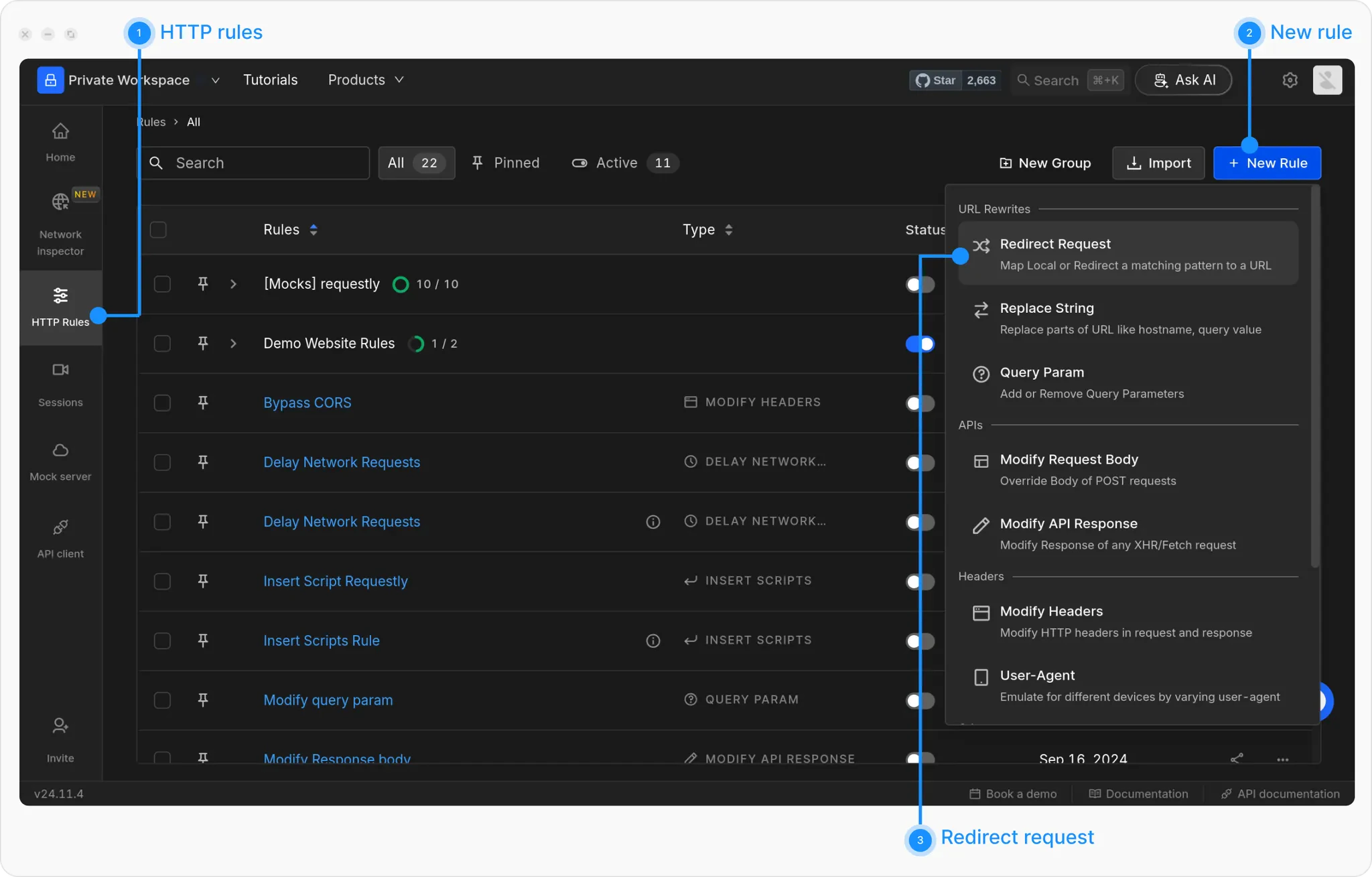
Go to **HTTP Rules → + New Rule → Redirect Rule**.
### Step 2: Redirect API Requests to File Server
Go to **HTTP Rules → + New Rule → Redirect Rule**.
 Give your rule a clear name and optional description.
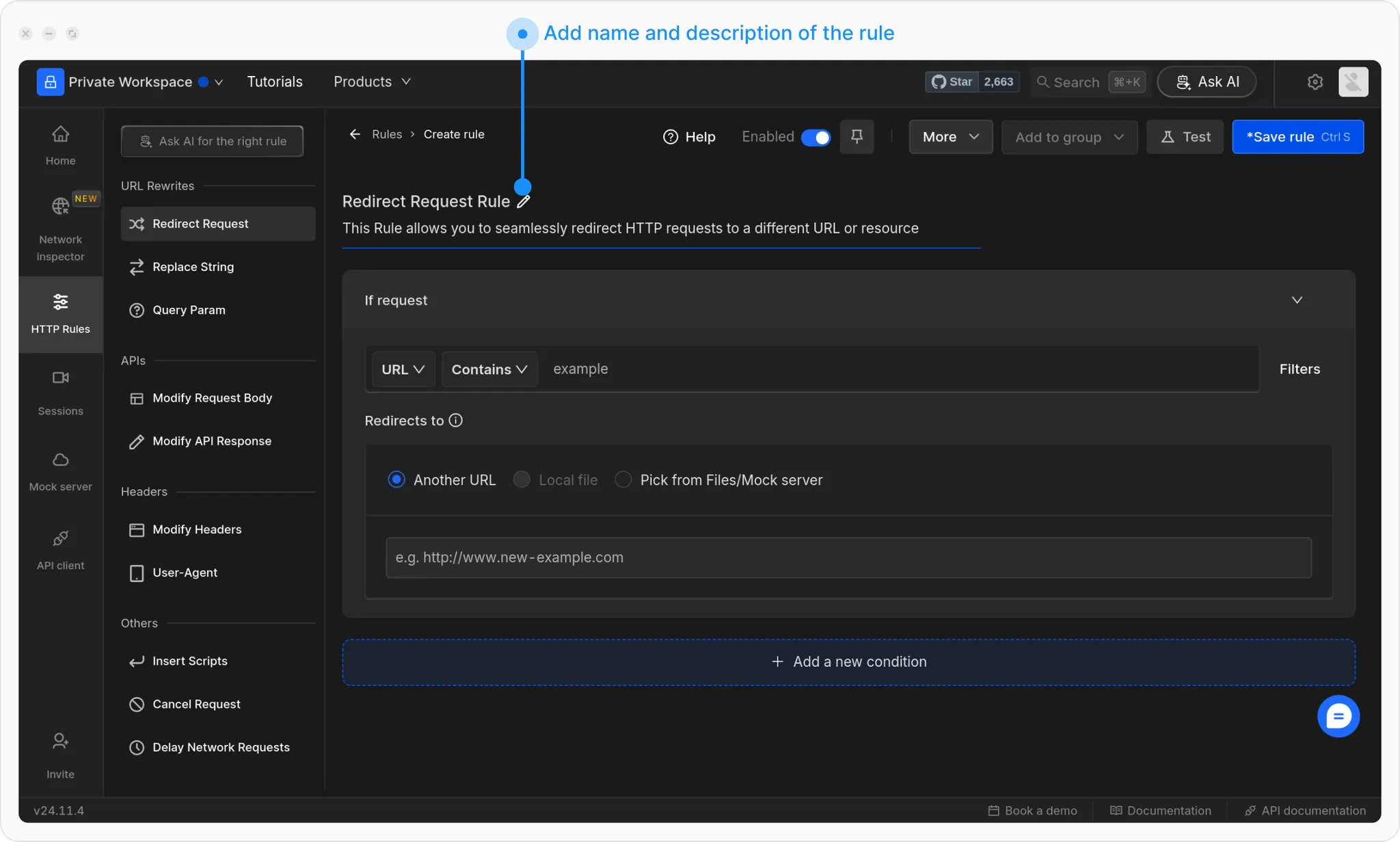 Define when the rule should trigger. Use filters like **URL Contains**, **Equals**, **Regex**, or **Advanced Filters**.
> 💡 Example:
>
> Match the bakery products API in the [Requestly Interceptor Playground:](https://requestly-playground.com/)
>
> [`https://rest.requestly-playground.com/api/products?searchJoin=and&with=type%3Bauthor&limit=30&language=en&search=type.slug:bakery%3Bstatus:publish`](https://rest.requestly-playground.com/api/products?searchJoin=and\&with=type%3Bauthor\&limit=30\&language=en\&search=type.slug:bakery%3Bstatus:publish)
Define when the rule should trigger. Use filters like **URL Contains**, **Equals**, **Regex**, or **Advanced Filters**.
> 💡 Example:
>
> Match the bakery products API in the [Requestly Interceptor Playground:](https://requestly-playground.com/)
>
> [`https://rest.requestly-playground.com/api/products?searchJoin=and&with=type%3Bauthor&limit=30&language=en&search=type.slug:bakery%3Bstatus:publish`](https://rest.requestly-playground.com/api/products?searchJoin=and\&with=type%3Bauthor\&limit=30\&language=en\&search=type.slug:bakery%3Bstatus:publish)
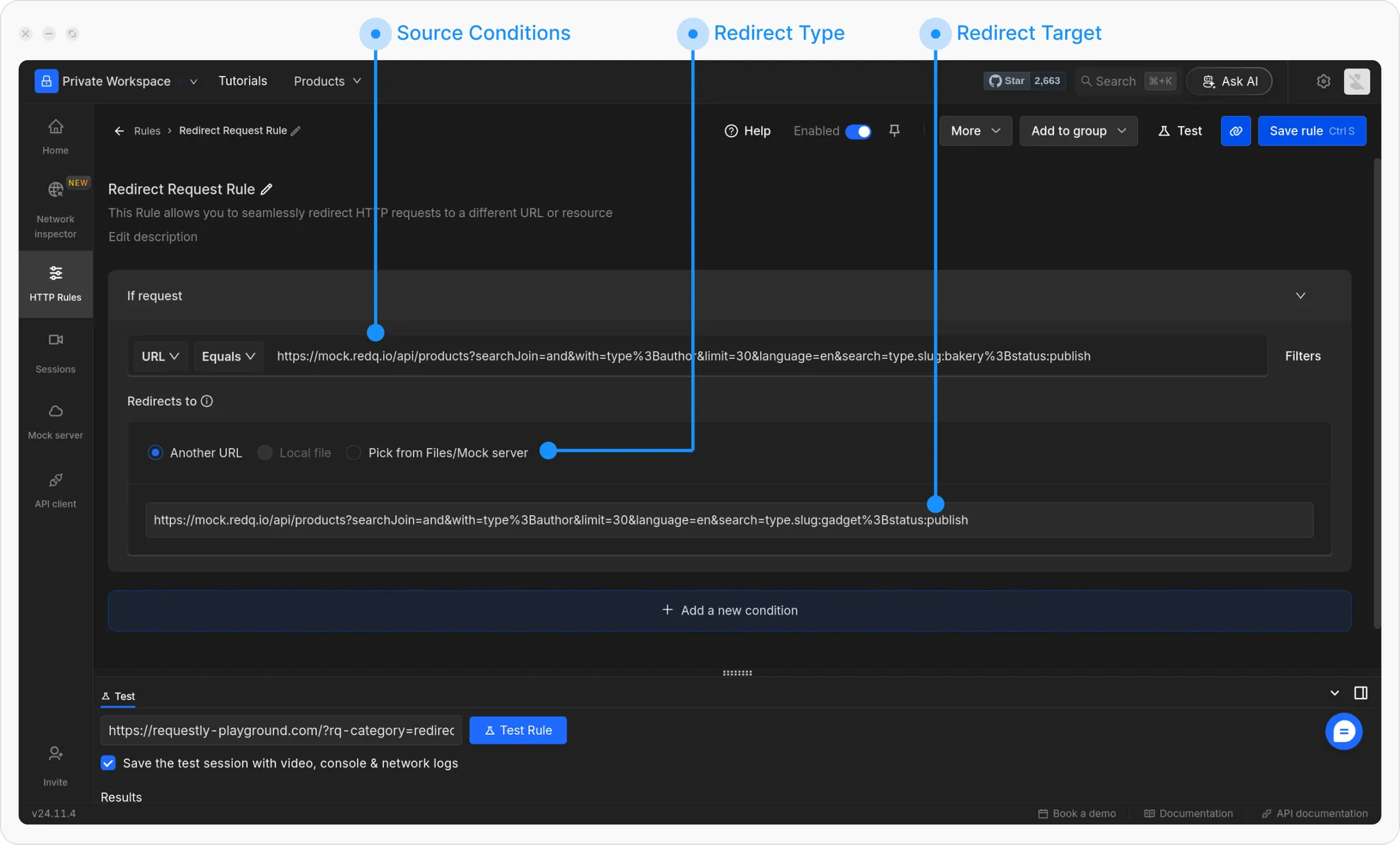 Paste the File Server URL copied earlier. You can also select the file directly from File Server.
Click **Save** and toggle the rule **ON** to activate it.
Paste the File Server URL copied earlier. You can also select the file directly from File Server.
Click **Save** and toggle the rule **ON** to activate it.